> ## Documentation Index
> Fetch the complete documentation index at: https://docs.getthread.com/llms.txt
> Use this file to discover all available pages before exploring further.
# Client Intelligence Service Tech Guide
> Service tech guide to Client Intelligence: use Super Magic suggestions, auto-generated knowledge articles, and company notes to resolve tickets faster.
## What Client Intelligence does
**Client Intelligence** is an automated research assistant that captures and surfaces technical resolutions directly within your workflow. It builds a client-specific knowledge base from resolved threads, then suggests the matching resolution steps the next time a similar issue comes in.
## Why it helps
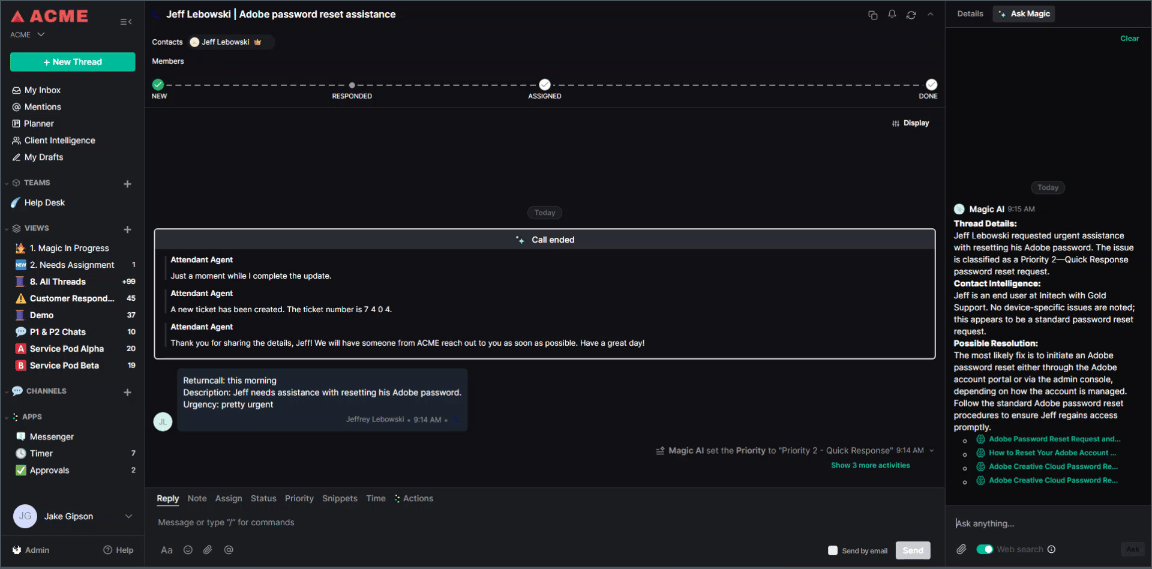
* **Reduced research time:** Super Magic automatically suggests relevant knowledge articles during active conversations, so you never have to leave the thread to search for a fix.
* **Automated knowledge base building:** Articles are auto-created and refined from actual ticket resolutions, removing the burden of manual documentation.
* **Unified information access:** View client-specific stakeholders, standard applications (for example, VPN types), and technical notes in one place.
## How to resolve tickets faster
* While working a thread, watch for **Super Magic** to suggest matching articles for the current topic.
* Review resolution steps and troubleshooting questions directly within the chat sidebar.
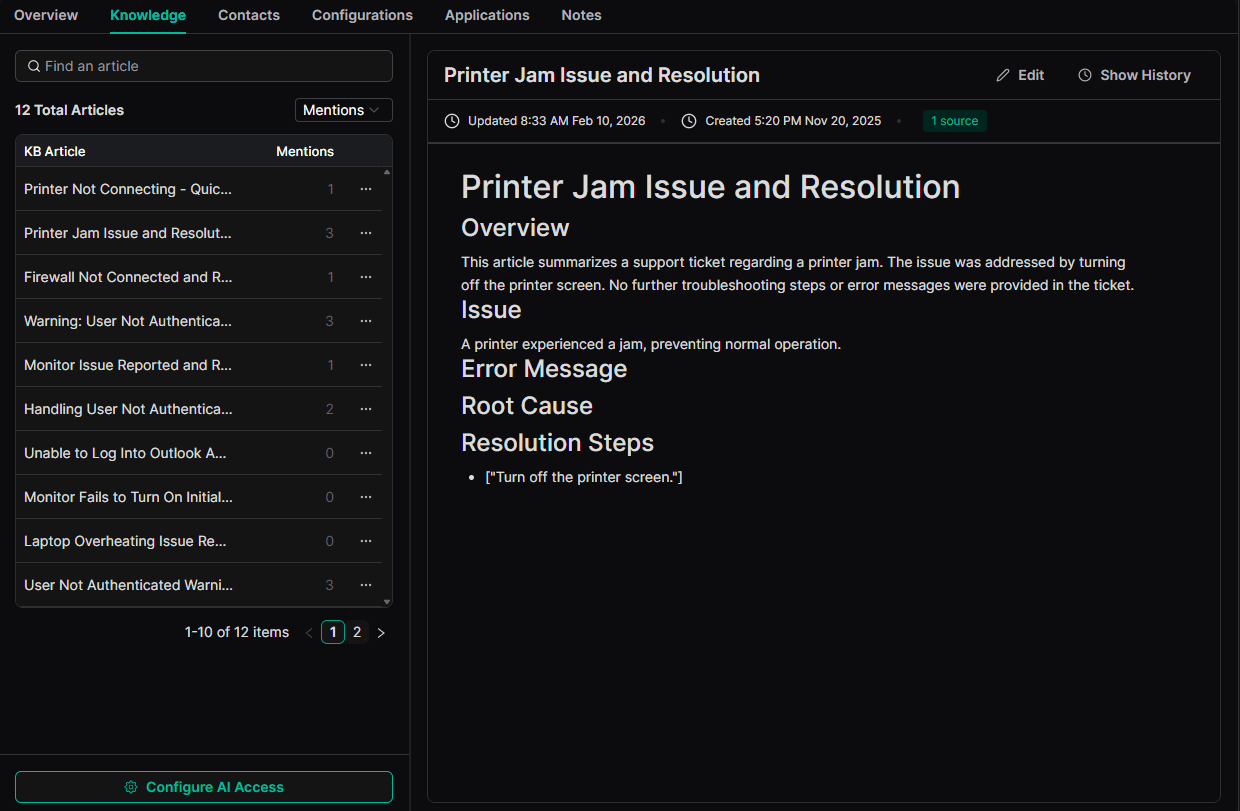
 * Open the **Knowledge** tab under a client profile to see articles created from past conversations.
* Check the **Source Threads** listed on an article to read through the historical context that formed it.
* Edit sections or change the title in the Notion-style editor if the AI-generated content needs refinement. Every edit is saved to the article's version history.
* Open the **Knowledge** tab under a client profile to see articles created from past conversations.
* Check the **Source Threads** listed on an article to read through the historical context that formed it.
* Edit sections or change the title in the Notion-style editor if the AI-generated content needs refinement. Every edit is saved to the article's version history.
 * Visit the **Notes** tab for a client summary of static, MSP-authored context.
* Look for standard client tools (such as "MacBook Pros" or "NordVPN") and stakeholder names to ensure your resolution matches their specific environment.
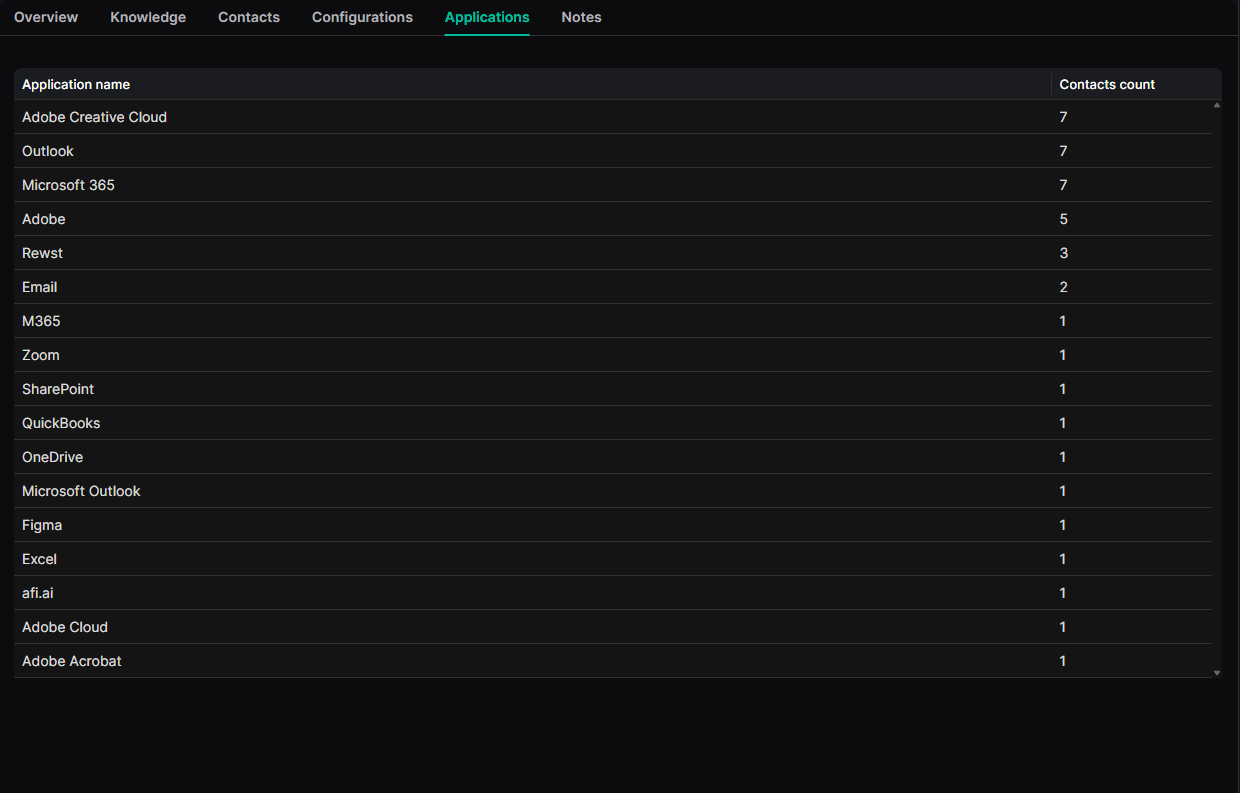
* Use the **Applications** list to see which software the client uses based on conversation history and Contact Intelligence.
* Check which specific contacts are associated with certain applications for targeted troubleshooting.
* Visit the **Notes** tab for a client summary of static, MSP-authored context.
* Look for standard client tools (such as "MacBook Pros" or "NordVPN") and stakeholder names to ensure your resolution matches their specific environment.
* Use the **Applications** list to see which software the client uses based on conversation history and Contact Intelligence.
* Check which specific contacts are associated with certain applications for targeted troubleshooting.
 See **Assistive AI** and **Inbox** updates in the [changelog](/changelog/q3-2026).
## Related topics
- [Read client health with Client Intelligence](/start-here/roles/csm-account-manager/client-intelligence-and-health.md)
- [Customer Value Messaging for AI-Powered Support](/get-started/talking-to-customers-about-ai-powered-support-thread-customer-value-messaging.md)
- [Getting Started with Client Intelligence](/ai-agents/getting-started-with-knowledge.md)
See **Assistive AI** and **Inbox** updates in the [changelog](/changelog/q3-2026).
## Related topics
- [Read client health with Client Intelligence](/start-here/roles/csm-account-manager/client-intelligence-and-health.md)
- [Customer Value Messaging for AI-Powered Support](/get-started/talking-to-customers-about-ai-powered-support-thread-customer-value-messaging.md)
- [Getting Started with Client Intelligence](/ai-agents/getting-started-with-knowledge.md)