> ## Documentation Index
> Fetch the complete documentation index at: https://docs.getthread.com/llms.txt
> Use this file to discover all available pages before exploring further.
# Multi-language support in Messenger
> Which languages Thread supports across Messenger, Inbox, Teams and Slack, and how to set a default language of English or French per workspace or per customer.
Messaging works in **practically any language** — your customers and technicians can talk to each
other however they like. What varies is the **interface** and the **bot prompts**, which have
narrower support.
## What's supported where
| Platform | User interface | Bot prompts | Messaging |
| ------------------------------------- | ------------------------------------------------------------------------------------ | --------------- | ------------ |
| **Messenger** | English, French | English, French | Any language |
| **Inbox** | English only | English only | Any language |
| **Microsoft Teams** (customer-facing) | Teams itself supports many languages; Messenger in Teams supports English and French | English, French | Any language |
| **Microsoft Teams** (MSP-facing) | Teams itself supports many languages; the MSP bot is English only | English only | Any language |
| **Slack** (customer-facing) | Slack itself supports many languages; Messenger in Slack is English only | English only | Any language |
| **Slack** (MSP-facing) | Slack itself supports many languages; the MSP bot is English only | English only | Any language |
Interface and bot localisation is **English and French only**, and only in standalone Messenger
and Messenger in Teams. Slack is not supported for language switching today.
## Set the default language
Language follows Thread's usual hierarchy: set a default for everyone, then override per customer
where you need something different.
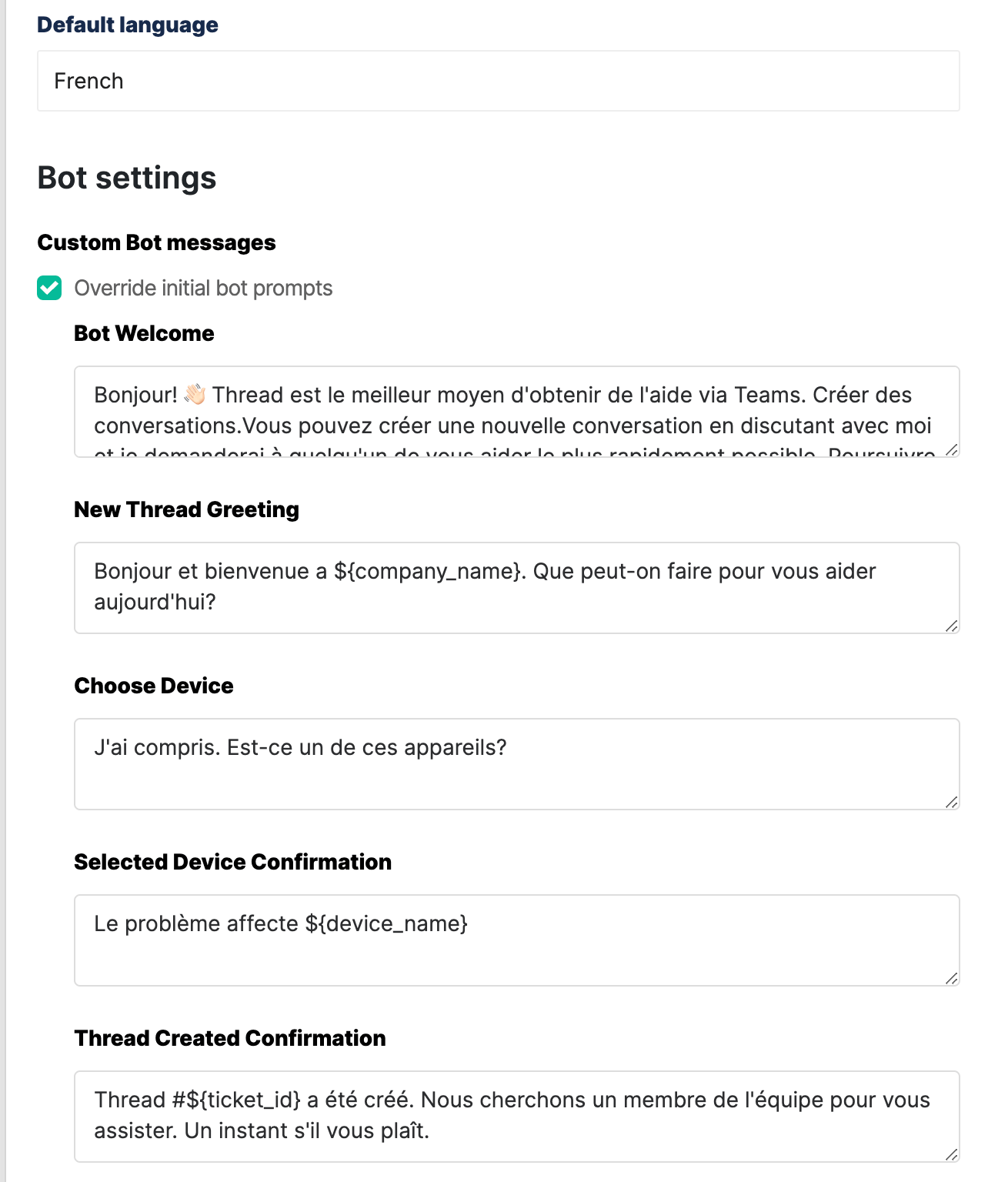
In the Admin Panel go to **Messenger** and choose the default language for all customers. It's English unless you change it. Switching to French updates both the interface and the bot prompts.
 Click **Override initial bot prompts** to see the prompts in the selected language.
 Set a different language on an individual customer where their default differs from yours, so you can tailor the experience client by client.
## What the customer sees
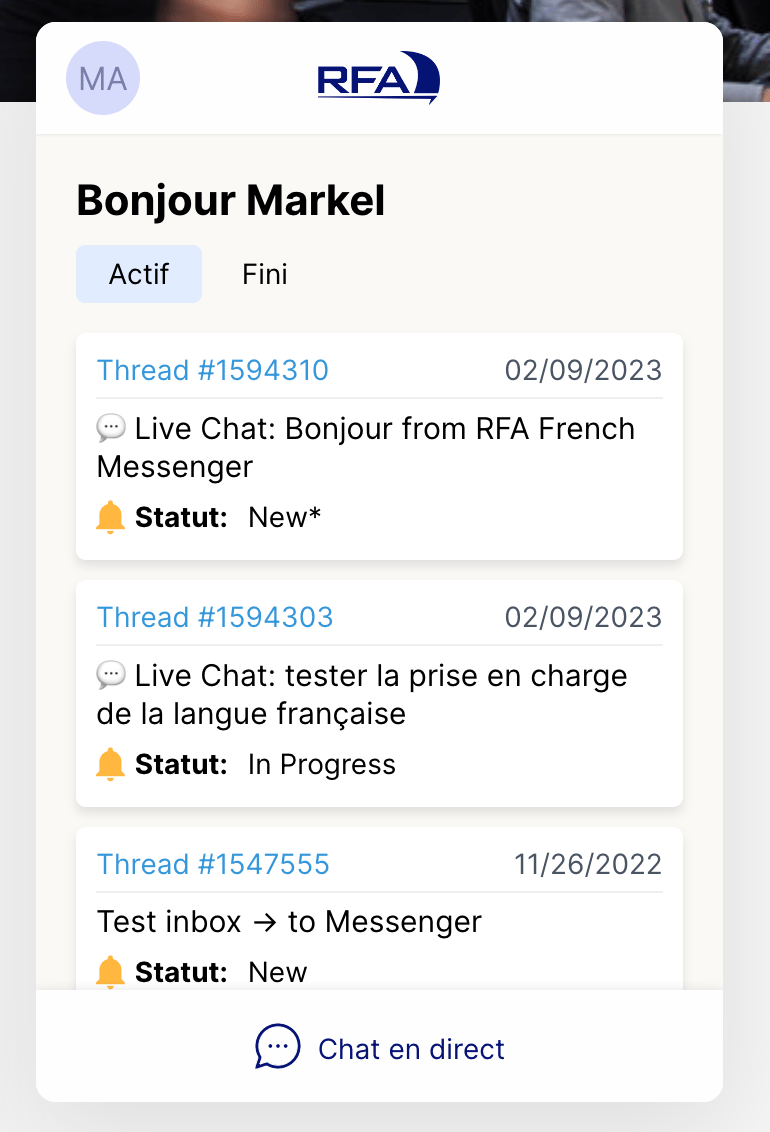
In standalone Messenger:
Set a different language on an individual customer where their default differs from yours, so you can tailor the experience client by client.
## What the customer sees
In standalone Messenger:
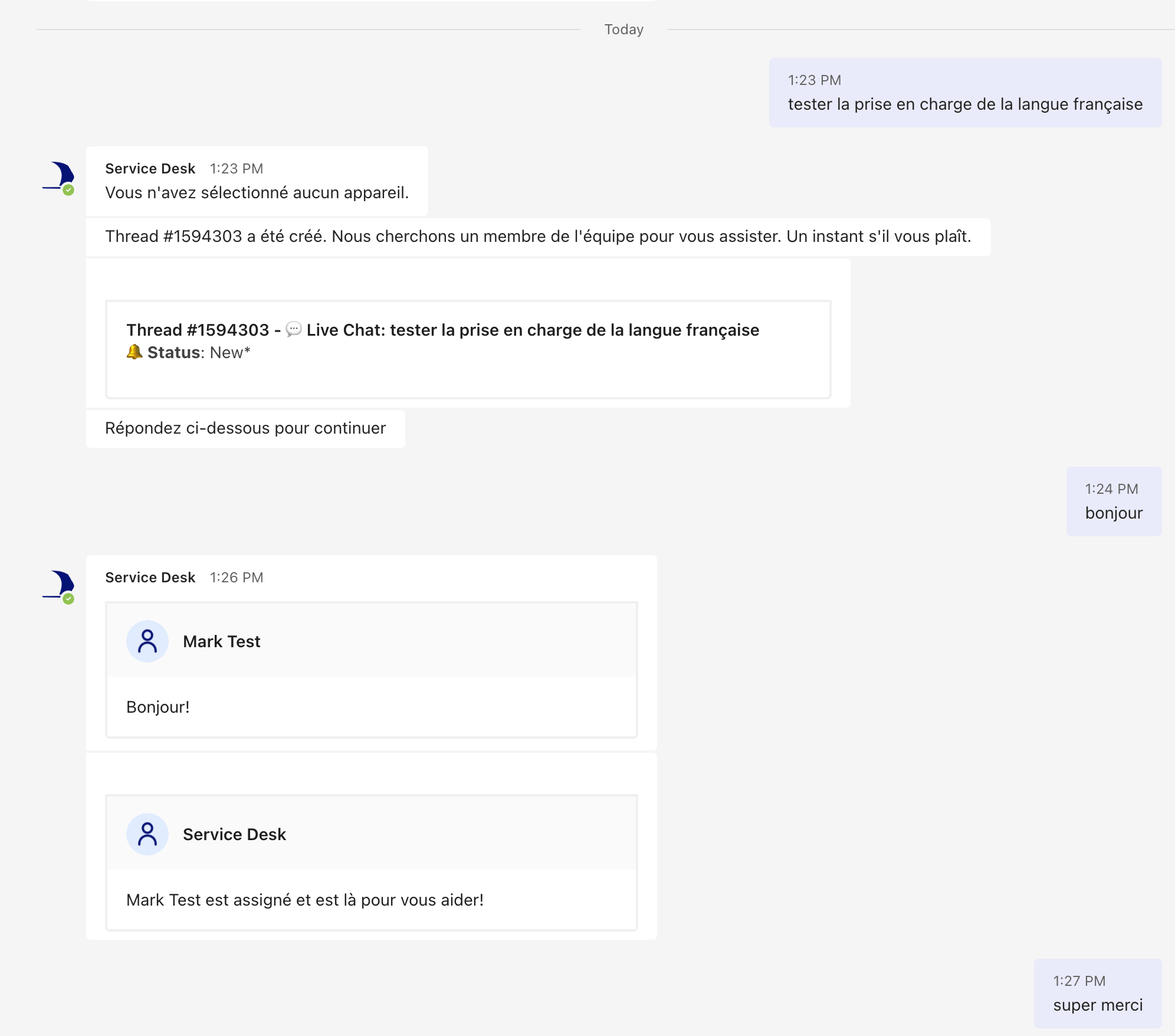
 In Microsoft Teams:
 ## Next step
Tune the rest of the customer-facing experience in [Messenger settings](/inbox/messenger), or set
per-customer behaviour in [configurations in Messenger](/messenger/configurations-in-messenger).
## Related topics
- [Cloning a Legacy Teams App](/messenger/cloning-a-legacy-teams-app.md)
- [Multilingual Reply](/skill-library/communication/multilingual-reply.md)
- [Customer Value Messaging for AI-Powered Support](/get-started/talking-to-customers-about-ai-powered-support-thread-customer-value-messaging.md)
## Next step
Tune the rest of the customer-facing experience in [Messenger settings](/inbox/messenger), or set
per-customer behaviour in [configurations in Messenger](/messenger/configurations-in-messenger).
## Related topics
- [Cloning a Legacy Teams App](/messenger/cloning-a-legacy-teams-app.md)
- [Multilingual Reply](/skill-library/communication/multilingual-reply.md)
- [Customer Value Messaging for AI-Powered Support](/get-started/talking-to-customers-about-ai-powered-support-thread-customer-value-messaging.md)