Magic Library
Verification methods
Two verification methods are available:- SMS magic link: a one-tap link sent by text. Requires a mobile number on the contact in the connected PSA.
- Microsoft Authenticator: an Approve / Deny push the contact answers in their Authenticator app. Requires the client’s Microsoft 365 tenant to be connected to Thread Verify. Contacts don’t need to set anything up in the app.
Microsoft Authenticator verification is a limited-availability feature in partner beta. Contact your Thread representative if you’d like to enable it for your workspace. SMS magic link is available to every workspace.
Enable and configure in Admin
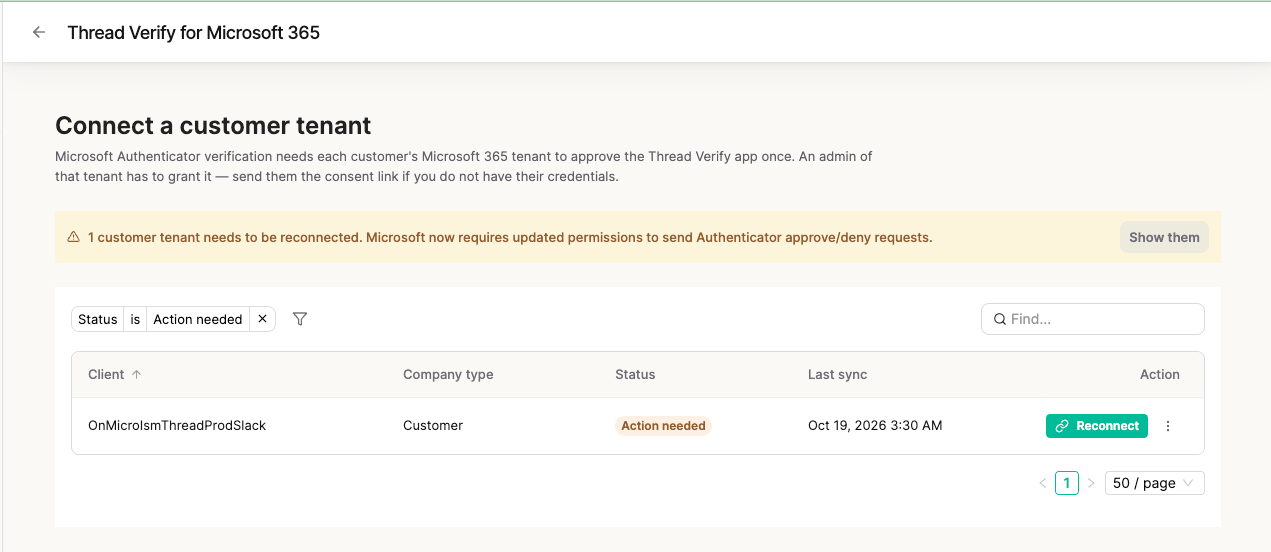
From Admin, open End User Verification to turn the feature on. From here there are three things to manage:- Settings: your verification methods, the default method, SMS messaging, and link expiry.
- Microsoft 365 tenants: connect Thread Verify to each customer tenant from the Thread Verify for Microsoft 365 page. Required for Microsoft Authenticator.
- Activity: the audit trail of every verification requested.
Settings
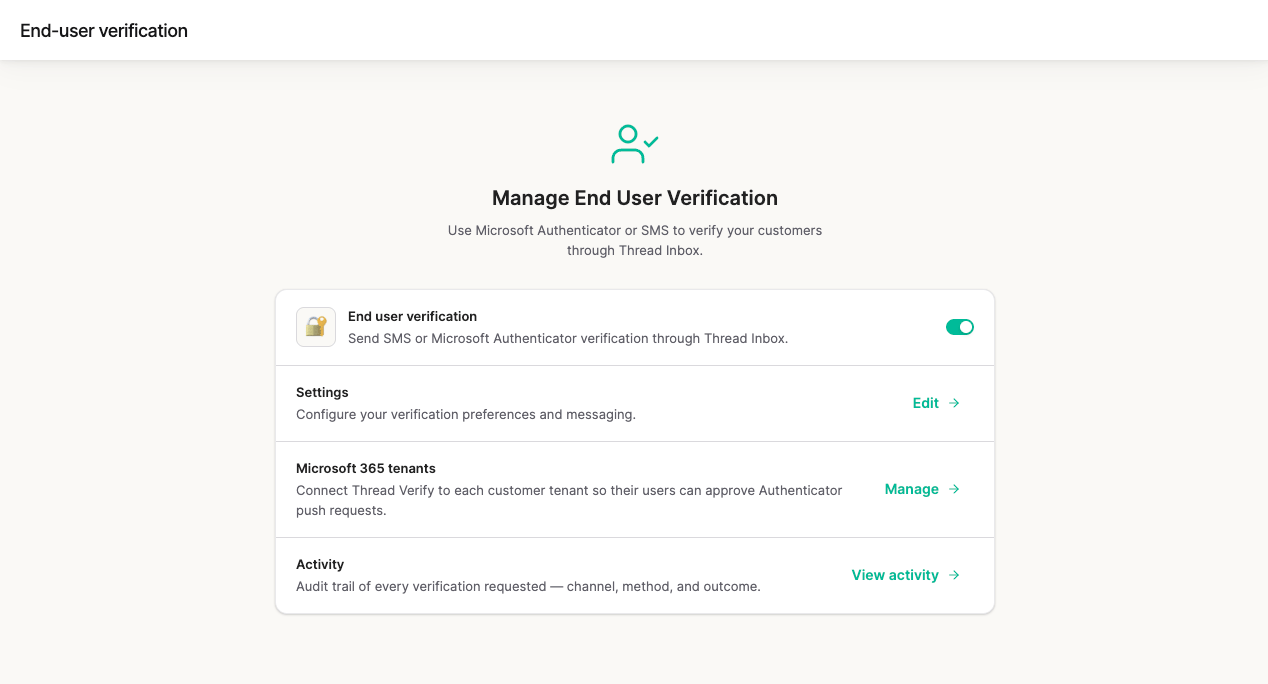
In Settings you can:- Turn each verification method on or off — SMS magic link and Microsoft Authenticator.
- Set the default method that technicians see pre-selected in Inbox, using Make default on the method you want.
- Customize the SMS message that end users receive.
- Set the link expiration time for the magic link.
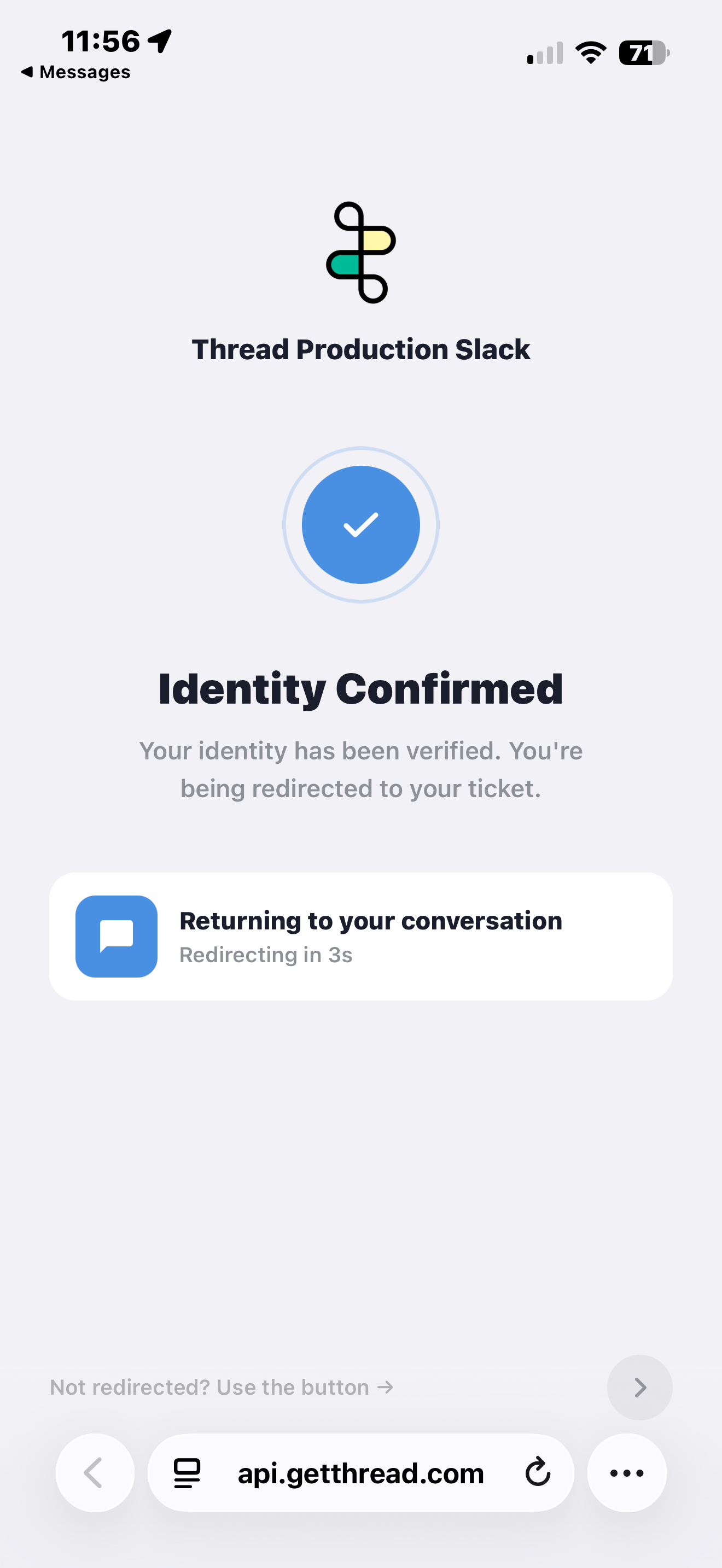
- Preview the verification page that end users see when they click the magic link.
The SMS settings apply to the SMS magic link only. Microsoft Authenticator needs no message configuration, as the push is shown by Microsoft inside the Authenticator app.
Connect Microsoft 365 tenants
Microsoft Authenticator verification works per client. Each customer’s Microsoft 365 tenant has to approve the Thread Verify app once before that client’s contacts can be verified this way.Prerequisites
Before you connect a client tenant, confirm:- End-user verification is enabled on your workspace.
- The Microsoft Authenticator method is enabled on your workspace. This is the toggle that surfaces the Microsoft Authenticator option in Admin and in the technician’s verification modal.
- The client company already has contacts in Thread with email addresses on their Microsoft tenant’s verified domains. Thread checks the consenting tenant’s verified domains against the contact emails it has on file for that client before it accepts the connection, so a client with no contacts on file yet cannot be connected.
- A Global Administrator of the client’s Microsoft 365 tenant is available to grant admin consent. The consent link Thread generates can only be completed by a tenant admin.
Microsoft Graph permissions
The tenant admin is asked to approve these application permissions for Thread Verify:Why does Thread Verify need Application.ReadWrite.All?
Why does Thread Verify need Application.ReadWrite.All?
Thread Verify sends the end user a Microsoft Authenticator push, and they tap Approve or Deny. To send that push inside the client’s tenant, Thread Verify creates a credential (a client secret) in the tenant. Secrets expire, so Thread Verify also renews it before it runs out. That way verification keeps working without an admin reconnecting it.Creating and renewing app credentials needs
Application.ReadWrite.All. Thread Verify uses it only for this setup. It doesn’t change any of the tenant’s other app registrations.What the end user gets: no setup on their phone. They just tap Approve.If the permission isn’t granted: SMS and other verification methods still work. Microsoft Authenticator is unavailable for that client, and technicians see: “This client needs to re-approve Thread Verify permissions. Ask an admin to reconnect it.”Open the clients table
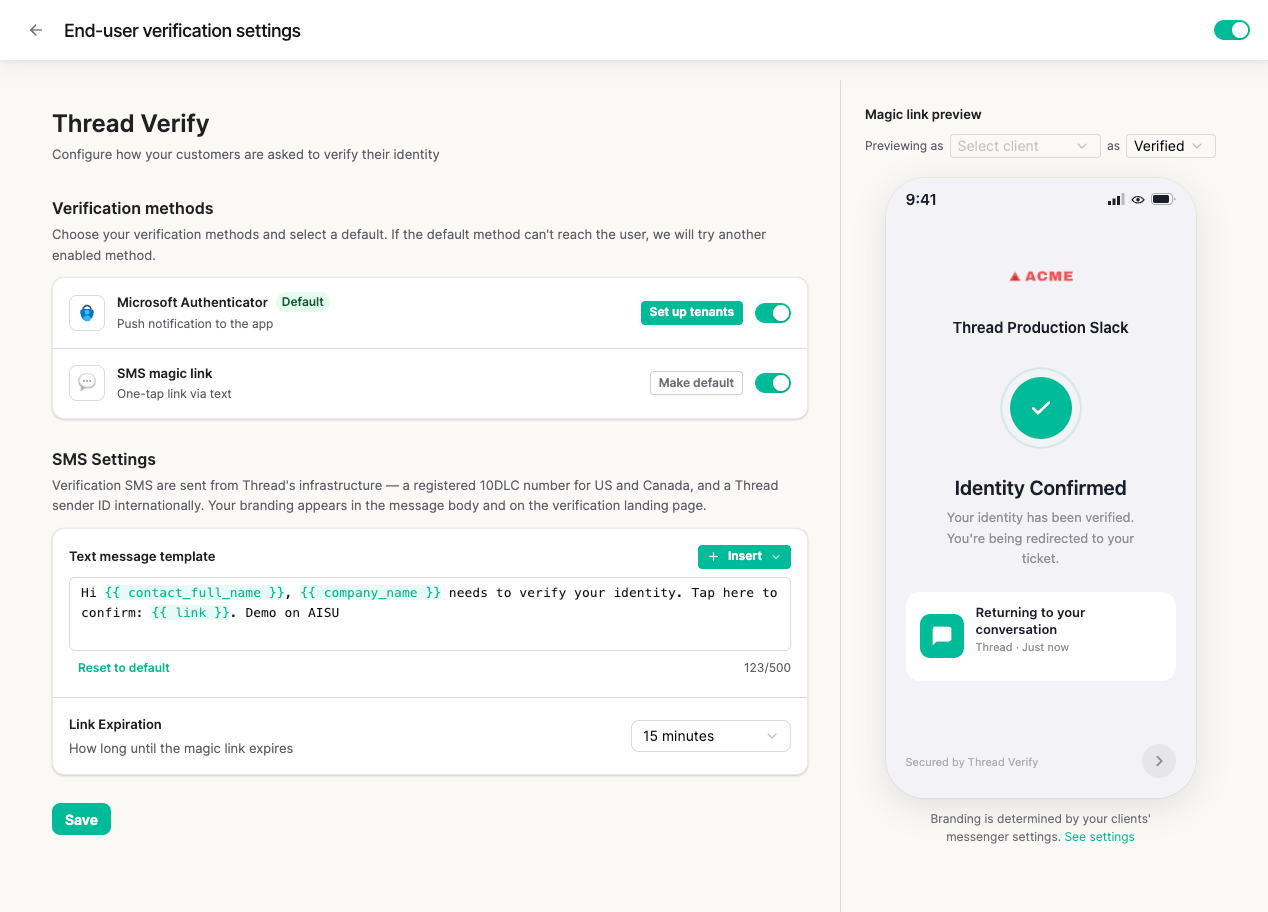
Open the Thread Verify for Microsoft 365 page in either of these ways:- In End User Verification, select Manage on the Microsoft 365 tenants row.
- In End User Verification → Settings, select Set up tenants on the Microsoft Authenticator row.
- Client
- Company type
- Status: Connected, Action needed, or Not connected
- Last sync
- Action
Connect a tenant
Find the client’s row. Its status shows Not connected. Then either:- Select Connect: if you hold that tenant’s admin credentials, complete the consent flow yourself.
- Open the ⋮ menu and select Copy link: send the consent link to an admin of that tenant to grant it.
Reconnect tenants that need updated permissions
Microsoft now requires updated permissions for Thread Verify to send Authenticator approve/deny requests. A tenant that is connected but missing a required permission shows Action needed. Hover the status to see which permissions are missing. When any tenant needs action, a banner at the top of the page shows how many tenants need to be reconnected. Select Show them to filter the table to Action needed clients. On an Action needed row, select Reconnect and have a tenant admin grant consent again. Sync contacts moves into the ⋮ menu for these rows. Until the tenant is reconnected, Microsoft Authenticator is unavailable for that client’s contacts.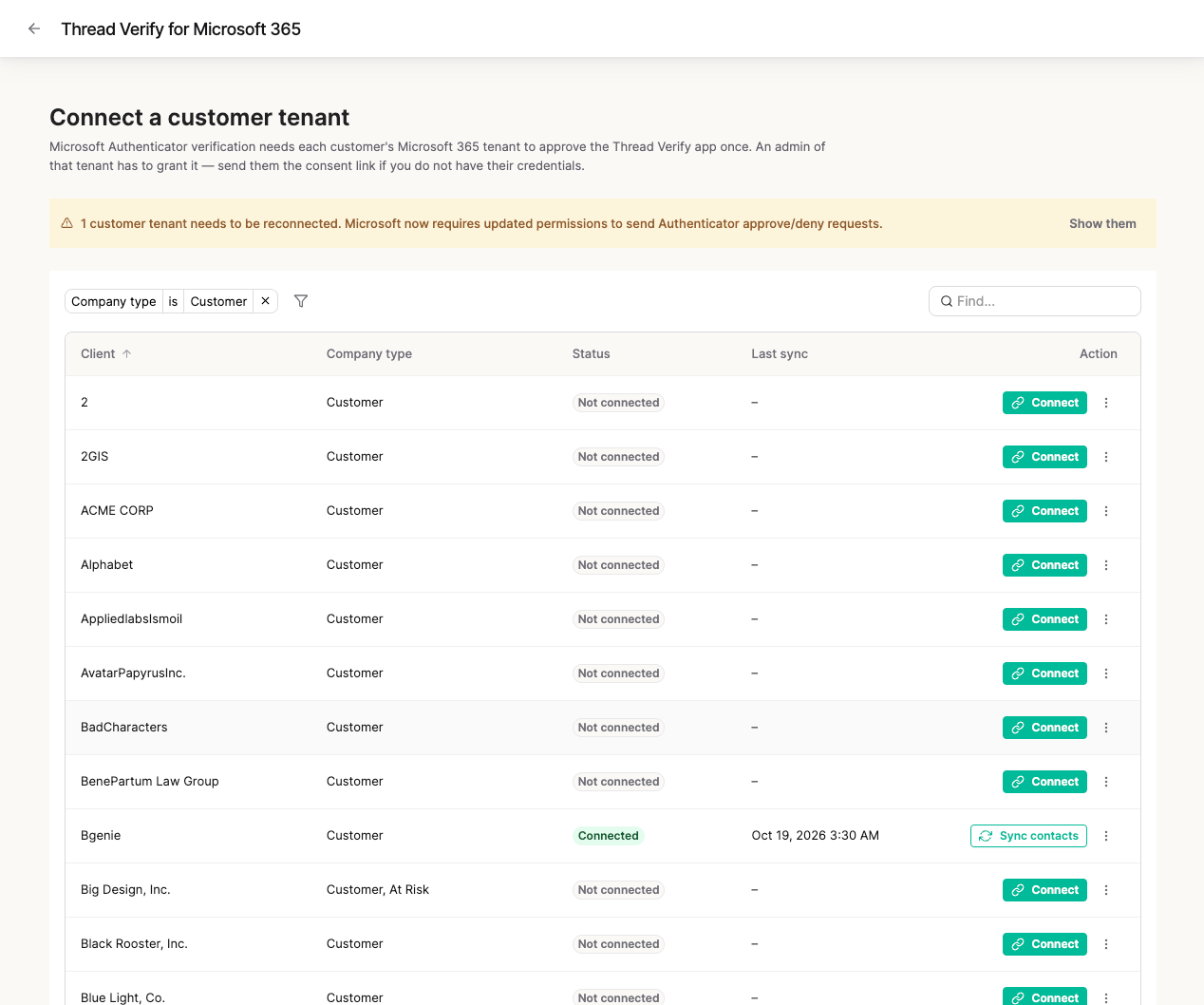
Refusal reasons
Thread refuses a consent for one of these reasons. The refusal is logged, the link is not spent, and the tenant admin can retry.tenant_domain_mismatch: none of the consenting tenant’s verified domains match a contact email on the client company. Confirm the tenant admin is signing in against the correct tenant, and that the client has at least one contact whose email is on a domain that tenant has verified.tenant_domain_unverifiable: Thread couldn’t read the tenant’s verified domains from Microsoft Graph. The most common cause is that the Thread Verify app registration is missing theDomain.Read.All(Application) permission. Contact your Thread representative.tenant_already_linked: the consenting tenant is already connected to a different client company in your workspace. A tenant can only be bound to one client at a time; disconnect the existing binding first if this is intentional.invalid_state: the consent link is expired or already spent. Generate a fresh one with Copy link on the client’s row in the clients table.
Disconnect a tenant
On the client’s row, open the ⋮ menu and select Disconnect, then confirm in the Disconnect Microsoft Authenticator? dialog. Thread removes the tenant binding for that client company. Any in-flight push challenges finish out on their existing tenant; new challenges for that client fall back to SMS until a fresh consent is granted. To reconnect a client, open the ⋮ menu on its row and select Reconnect to run the consent flow again. If the row shows Not connected, select Connect, or use Copy link to send a fresh consent link to the tenant admin. Reconnecting the same tenant restores the connection, and Thread re-syncs the tenant’s users so contacts’ Authenticator registration status is current.Trigger a verification from Inbox
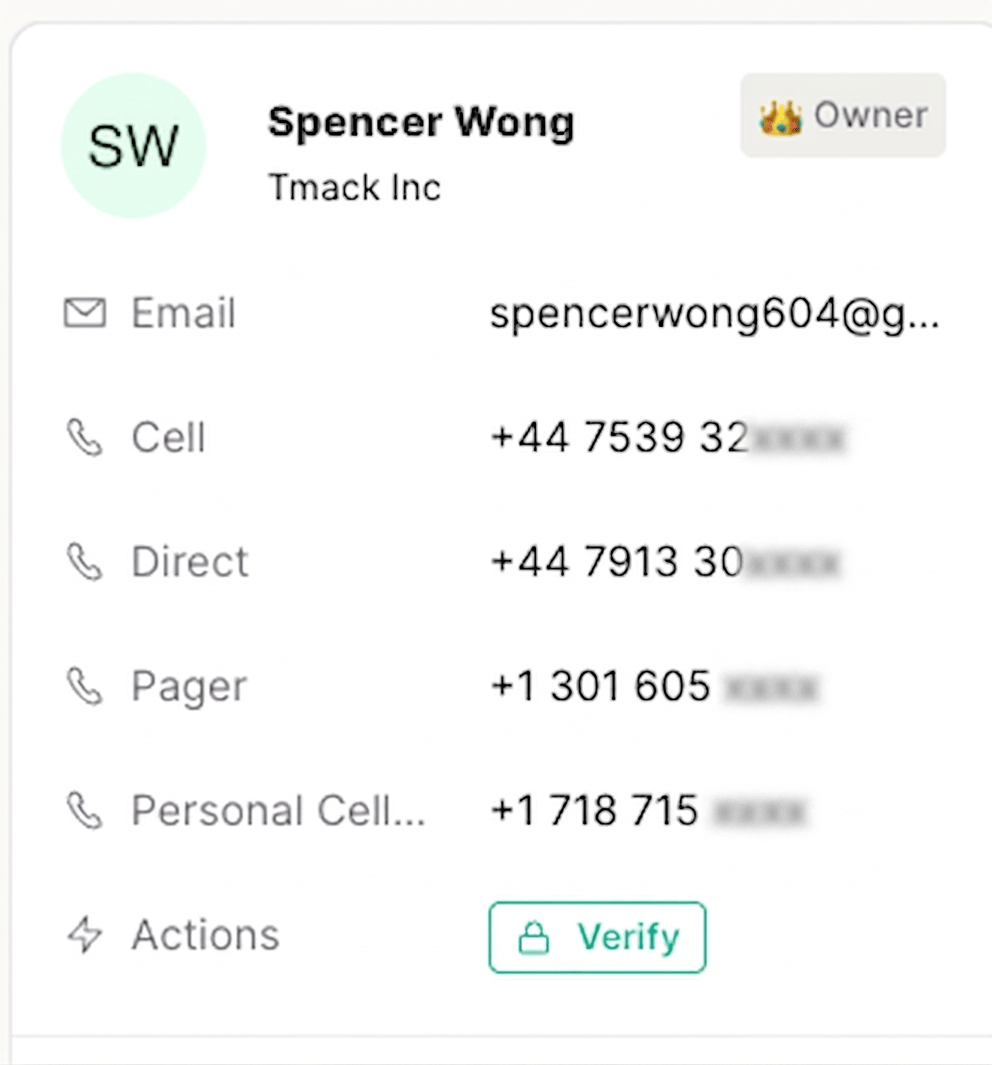
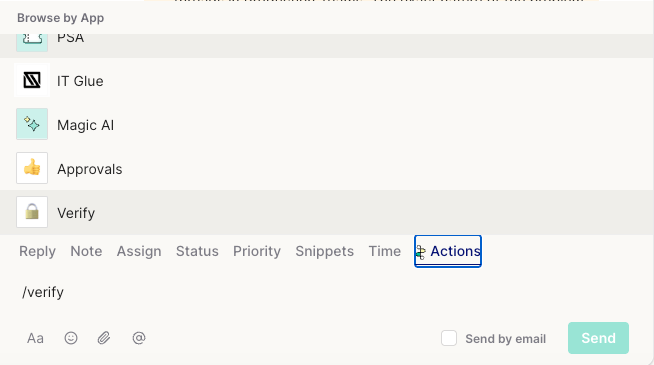
While a technician is working a thread, a verification can be triggered as long as End User Verification is enabled and the contact can be reached by at least one method: a mobile number on the contact in the connected PSA for SMS, or a connected Microsoft 365 tenant for Authenticator. There are three ways to start one:- Select Thread Verify in the contact details panel.
- Use the Actions menu.
- Type the
/verifyshortcut.
- The contact’s client company has a connected Microsoft tenant.
- The client is set up for approve/deny pushes. This happens once the tenant is connected with the updated permissions.
- The contact’s Microsoft user has Microsoft Authenticator registered as an authentication method.
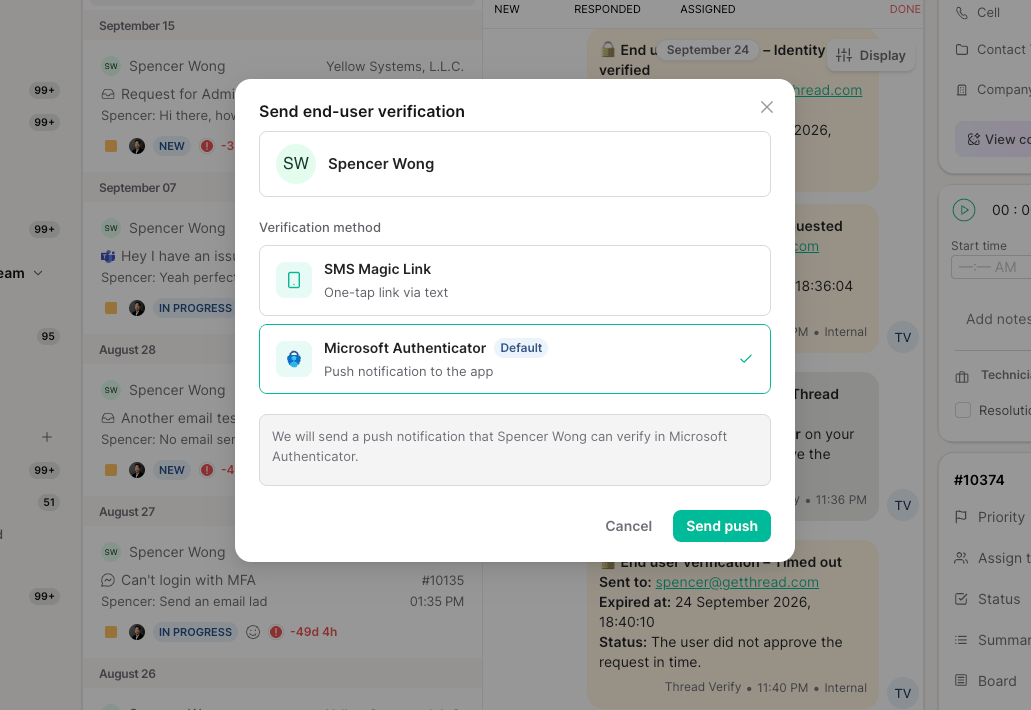
Microsoft Authenticator: Approve / Deny
When a technician sends a Microsoft Authenticator verification, the contact gets a push notification in their Authenticator app and taps Approve or Deny. There’s no code to read out or type in, and the contact doesn’t need to set anything up in the app beforehand. Each step (requested, approved, denied, undelivered, timed out) posts as an internal note on the thread. The verification note is updated to Verified once the contact approves. A push lives for a much shorter window than a magic link (about five minutes by default) because Authenticator pushes themselves are short-lived.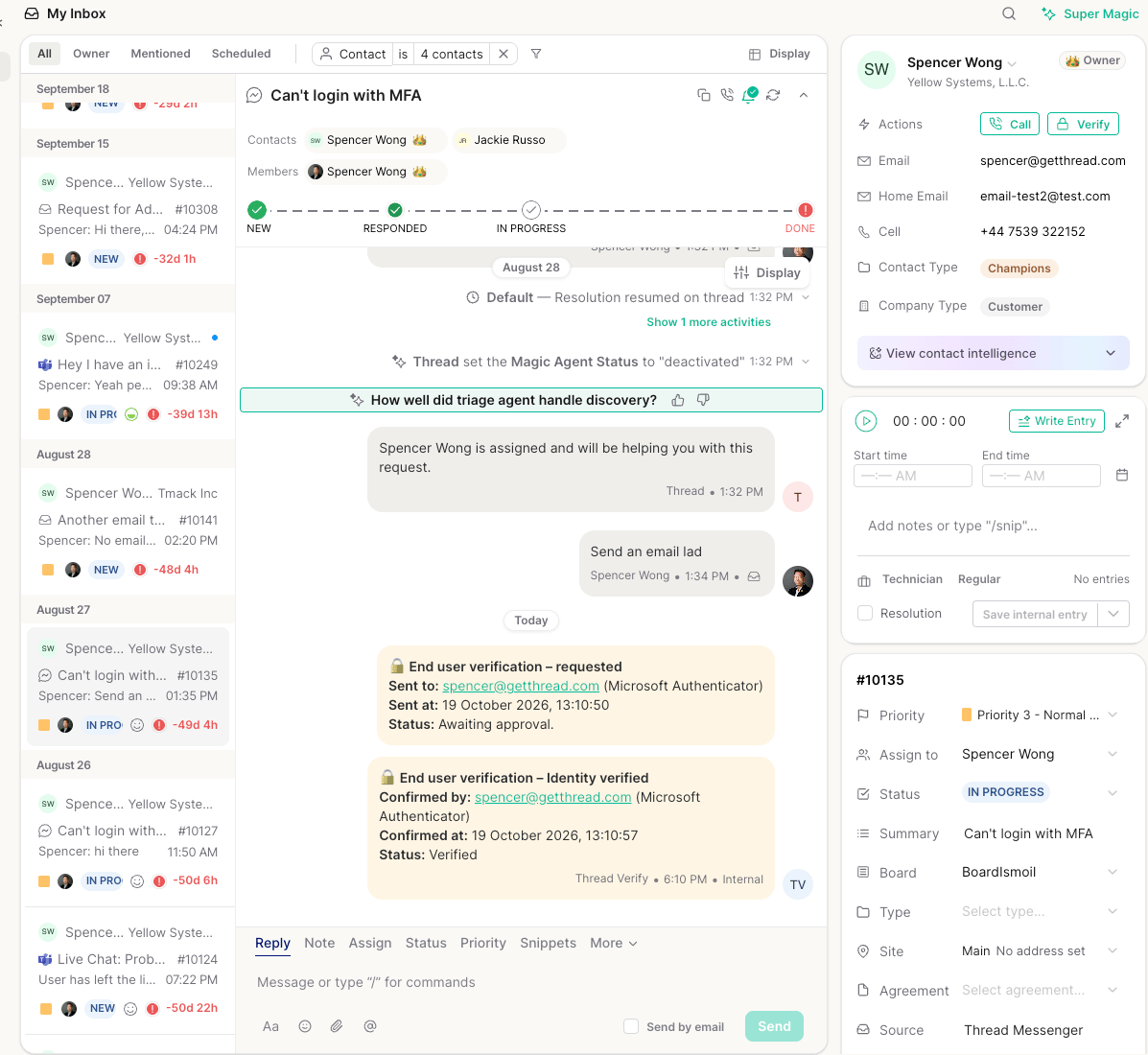
SMS magic link
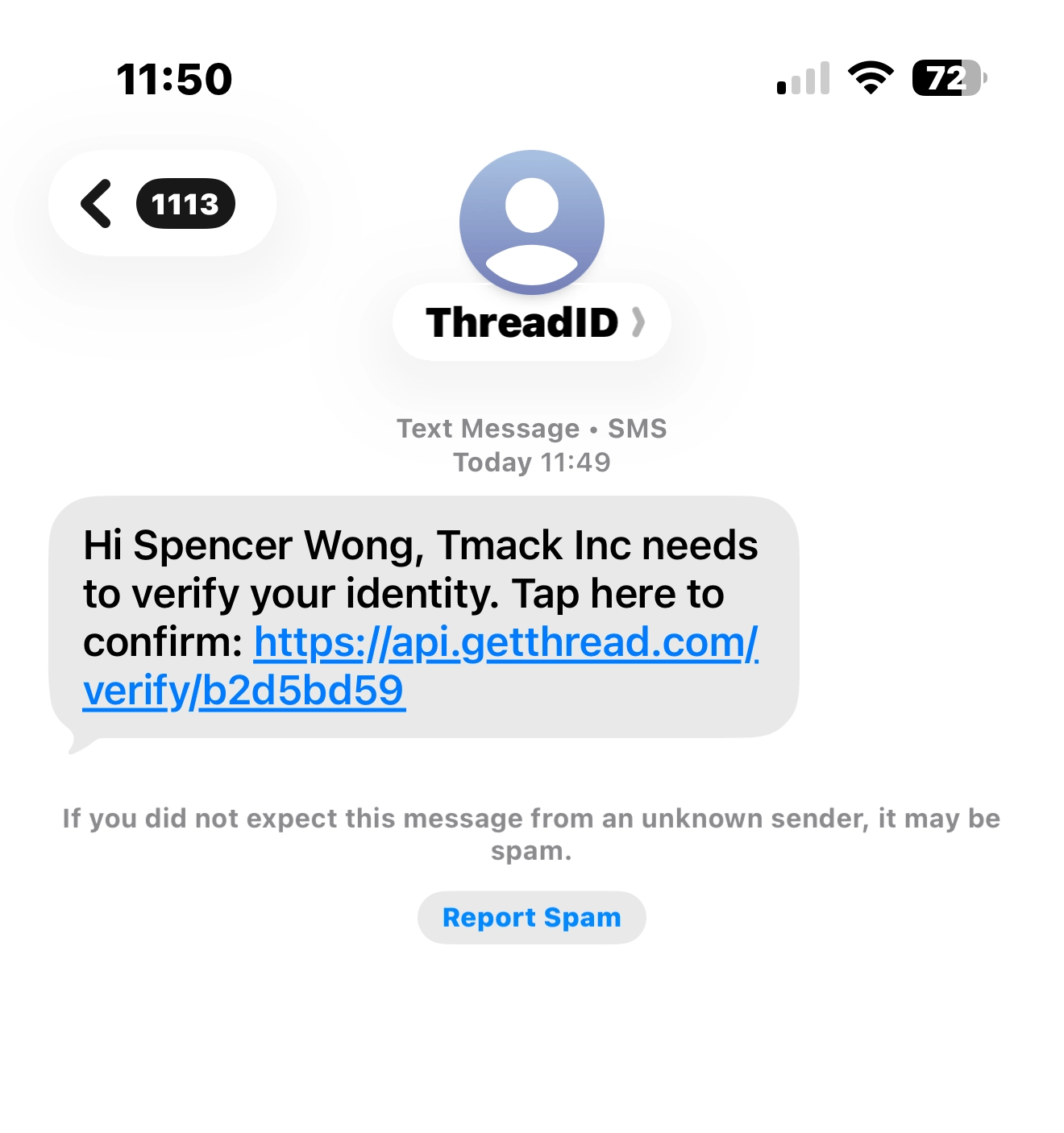
End users receive the SMS from Thread’s 10DLC number in the US and Canada. Most international contacts receive it from our ThreadID alphanumeric sender ID.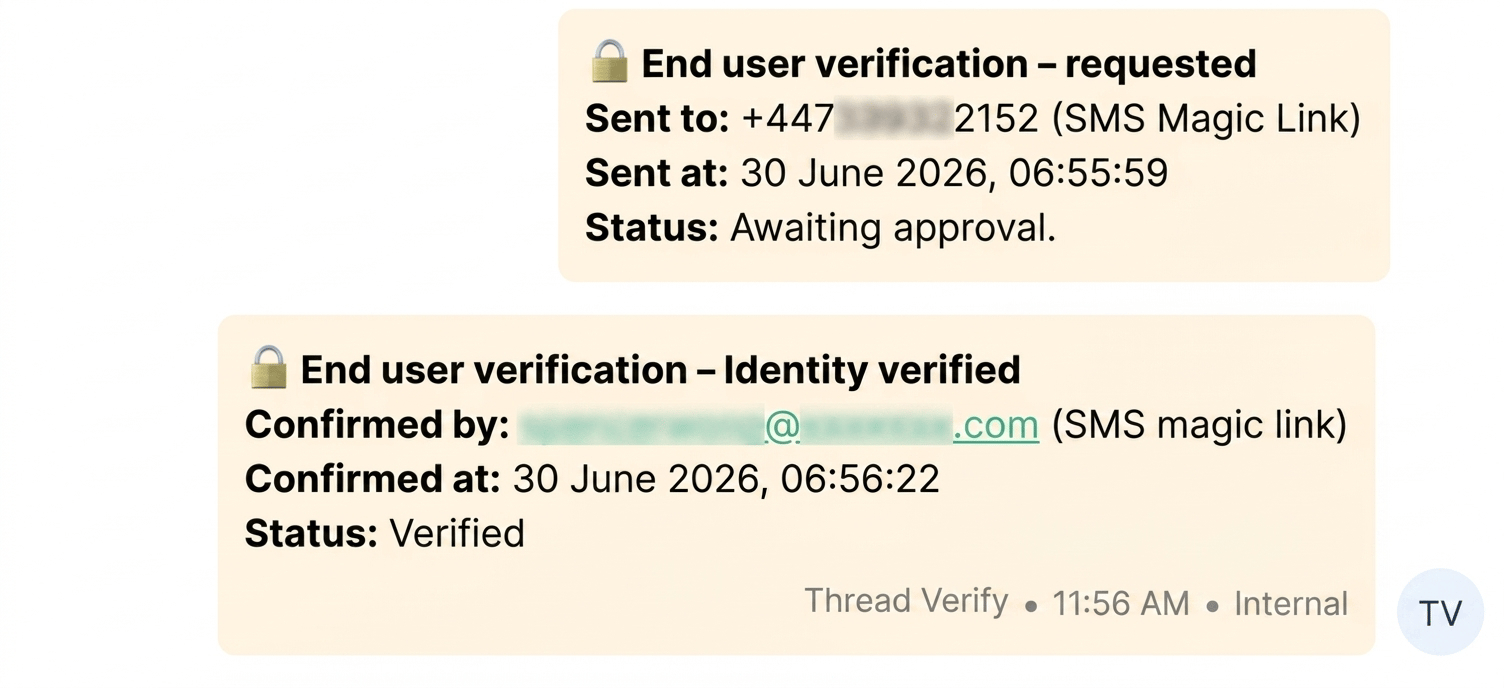
Verification activity
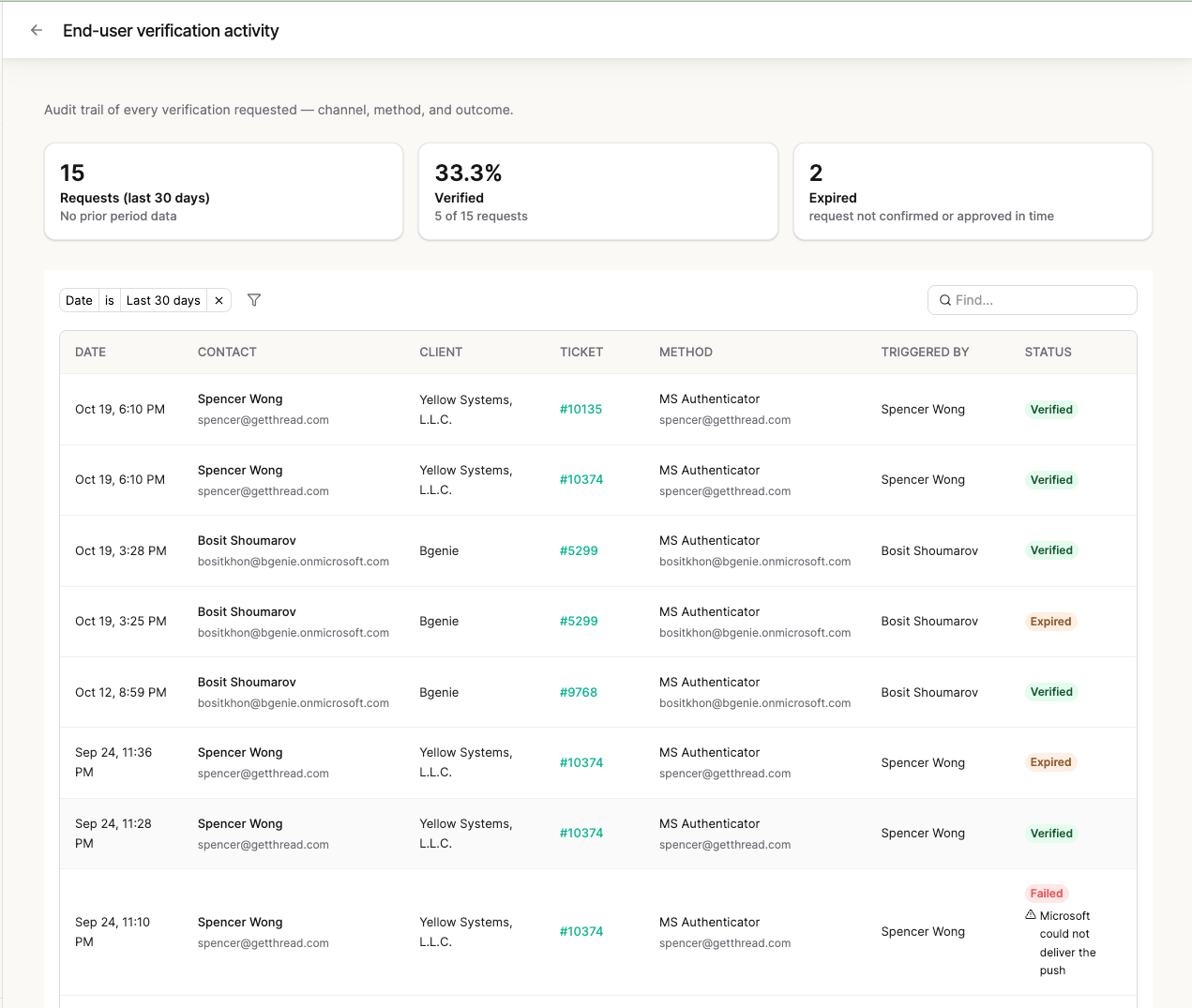
Every challenge is logged in an activity table you can review per ticket, per contact, or across your whole workspace from End User Verification → Activity. Each row captures the date, contact, client, ticket, method, who triggered it, and the outcome, including:- Device and IP of the person completing the challenge
- Contact email associated with the challenge
- Delivery status: including the specific failure reason when an SMS challenge doesn’t go through, or the specific reason Microsoft returned for a denied or undelivered push. Client needs to re-approve Thread Verify permissions means the client’s tenant must be reconnected before Authenticator pushes can be delivered
- Verification stats summarizing outcomes across challenges
Caller ID verification extensions
If your workspace uses phone-extension-based caller ID verification, extensions support up to 128 characters.Upgrading from the two-digit Authenticator push
If you connected client tenants to Thread Verify during the earlier beta, when Microsoft Authenticator used a two-digit number-match push, those tenants need to be reconnected once. The Approve / Deny push needs one new Microsoft Graph permission,Application.ReadWrite.All, which those tenants haven’t approved yet. Until a tenant is reconnected, Microsoft Authenticator is unavailable for that client’s contacts. SMS keeps working as normal.
End User Verification → Microsoft 365 tenants shows a banner when any connected clients need to approve the updated permissions.
To reconnect a client:
- From End User Verification → Microsoft 365 tenants, find the client.
- Choose Reconnect if you hold that tenant’s admin credentials, or Copy link to send the consent link to a Global Administrator of the tenant.
- The admin signs in and approves the updated Thread Verify permissions.