

 Magic Library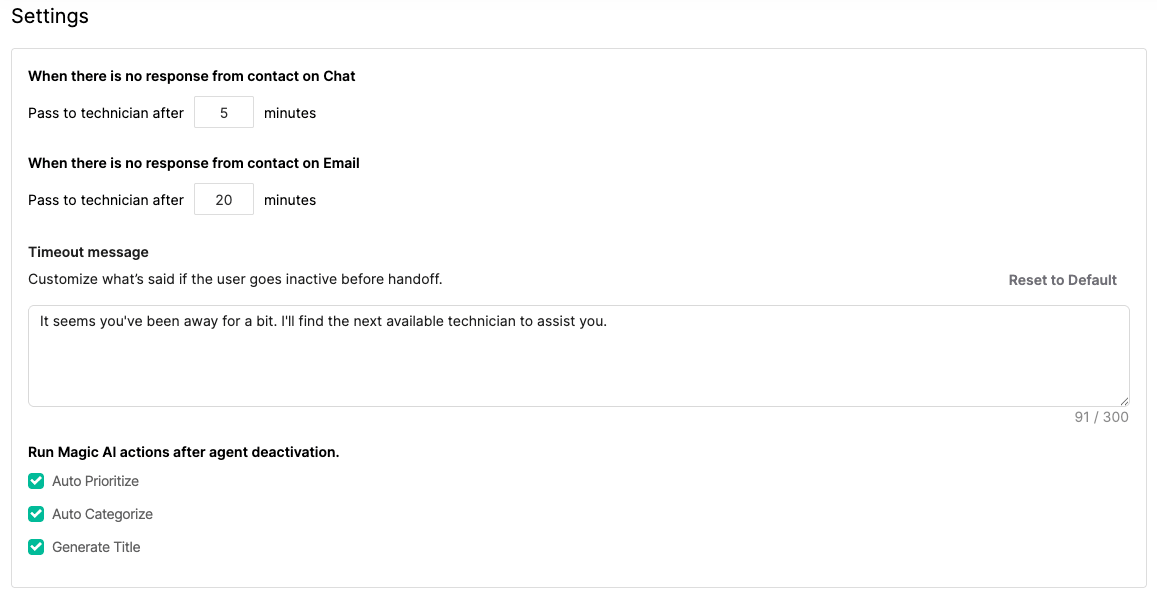
Response Timeout
These settings determine how long the Agent should wait for a reply before passing the thread to a technician.- When there is no response from contact on Chat – Define the timeout (in minutes) for chat-based conversations.
- When there is no response from contact on Email – Define the timeout (in minutes) for email-based conversations.
Timeout Message
The Timeout Message is shown when a contact becomes inactive before the Agent hands off the thread to a technician. This message can either be used verbatim or as a prompt for the Agent to craft its own version in a similar tone. Default message:It seems you’ve been away for a bit. I’ll find the next available technician to assist you.You can edit this message at any time to match your support tone or escalation policy.
Run Magic AI Actions After Agent Deactivation
After the Triage Agent deactivates, you can automatically run other Magic AI features to complete thread processing. These actions help ensure that all triaged threads are properly categorized and documented. Available options include:- Auto Prioritize – Assigns an appropriate priority level to the thread.
- Auto Categorize – Assigns the correct category and subcategory based on context.
- Generate Title – Creates a concise and descriptive thread title.
Status Mapping

- Select the appropriate status for each stage of the triage process.
- Map statuses across different boards if your organization uses multiple workflows.
- Ensure consistency between your PSA’s native statuses and Magic Agent automation.