

 Magic Library
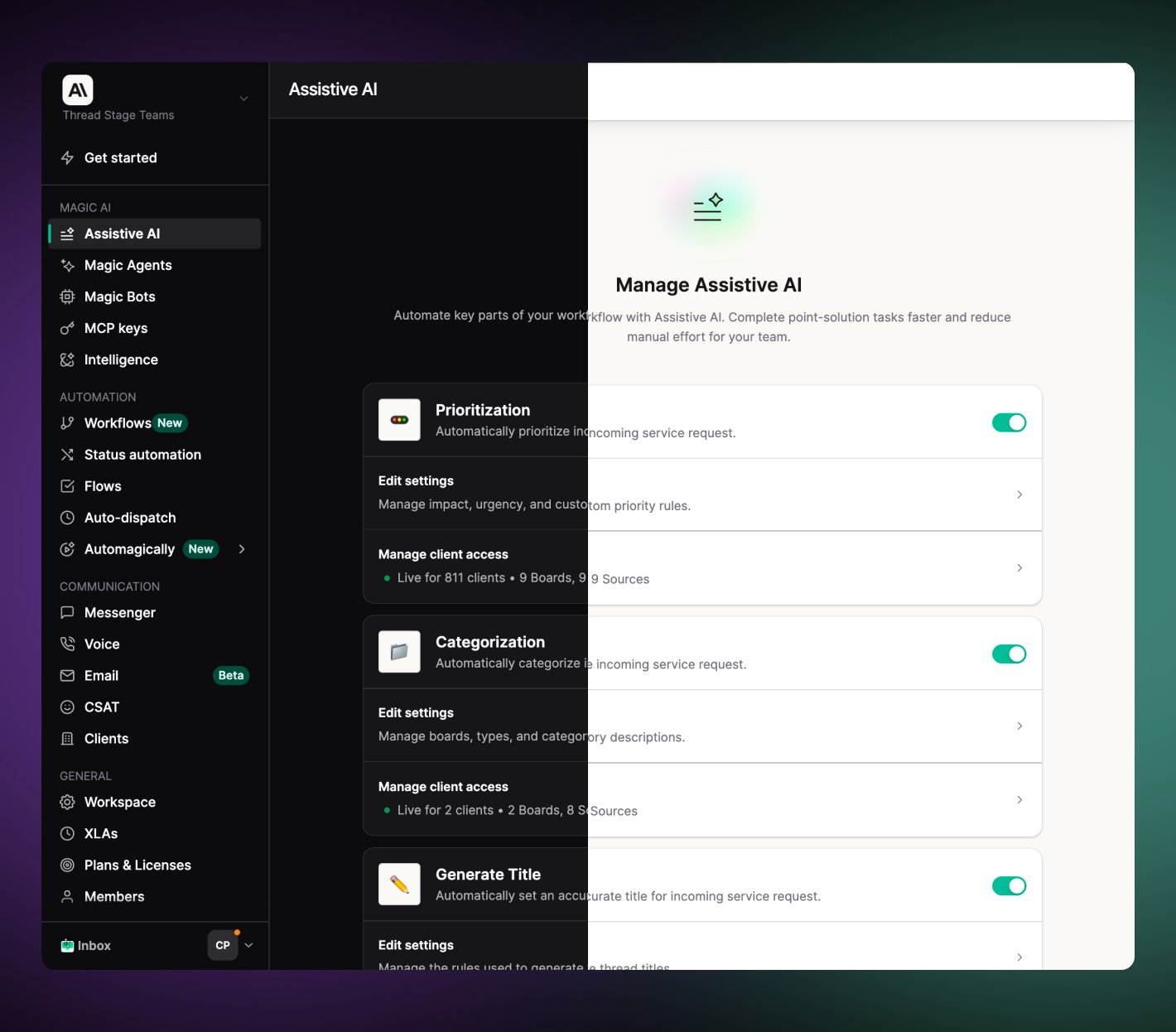
Admin Assistive AI in dark mode (left) and light mode (right)
Turn on dark mode in Admin or INBOX
1
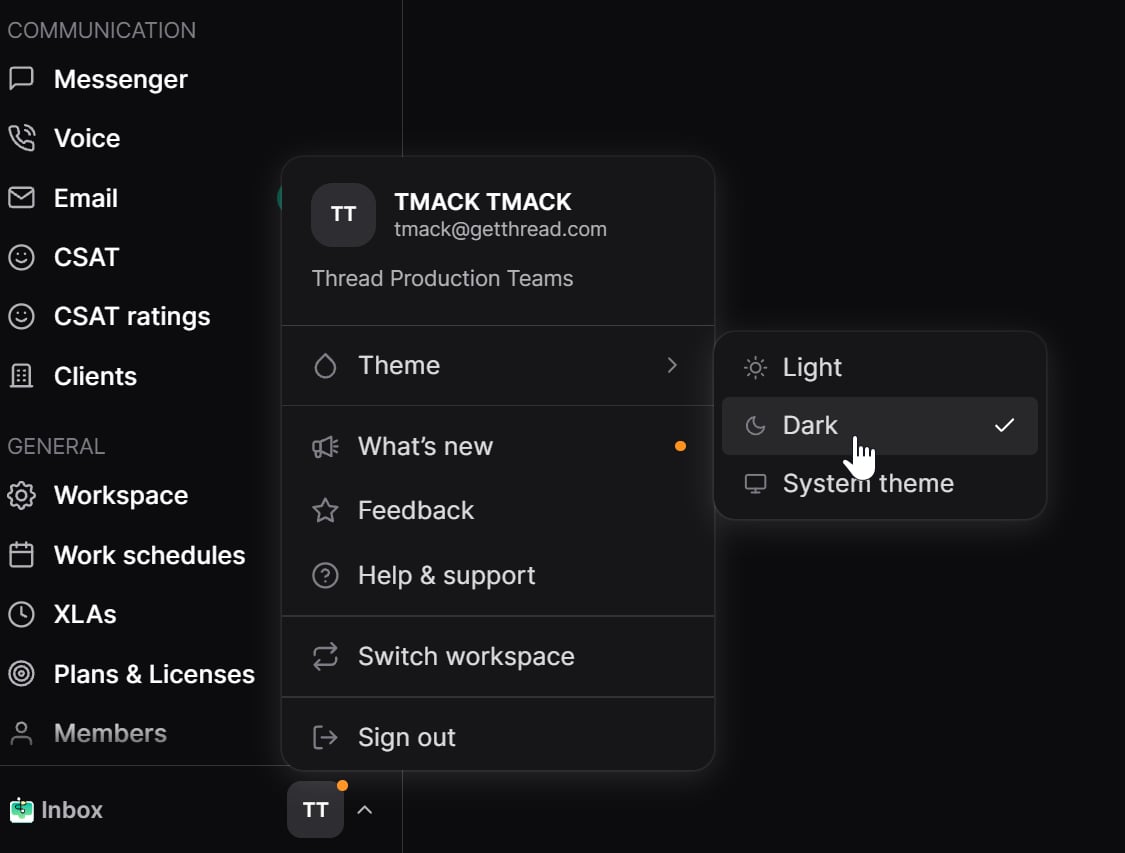
Open your account menu
select your profile control at the bottom of the left sidebar to open the account menu.
2
Open Theme
Select Theme.
3
Choose Light, Dark, or System
Pick Light, Dark, or System. System follows your device appearance setting. The preference is saved to your account.
4
Your Done, works the same in INBOX
Theme is a per-member setting. Changing it for yourself does not change the theme for other members in the workspace.
Walkthrough video (Admin)
Related
- Inbox navigation — account menu and Preferences in Inbox (workflow settings, not theme)
- Member and contact avatars — other account appearance settings