Magic Library
What’s supported where
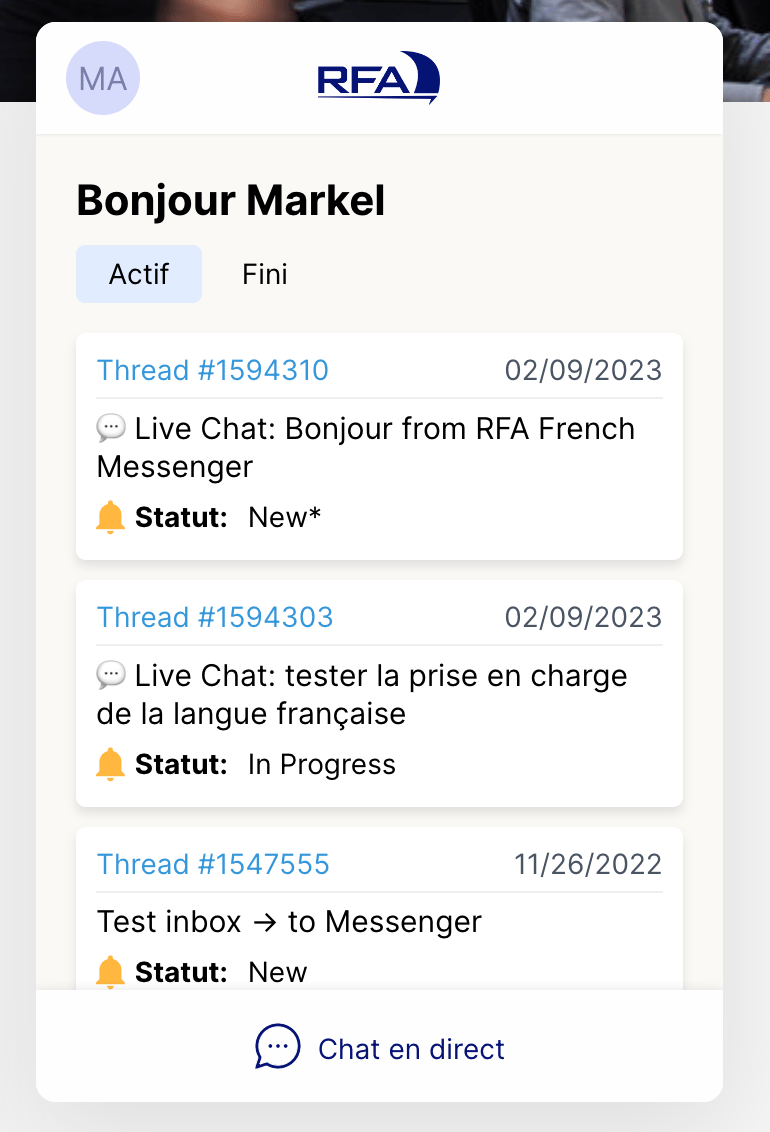
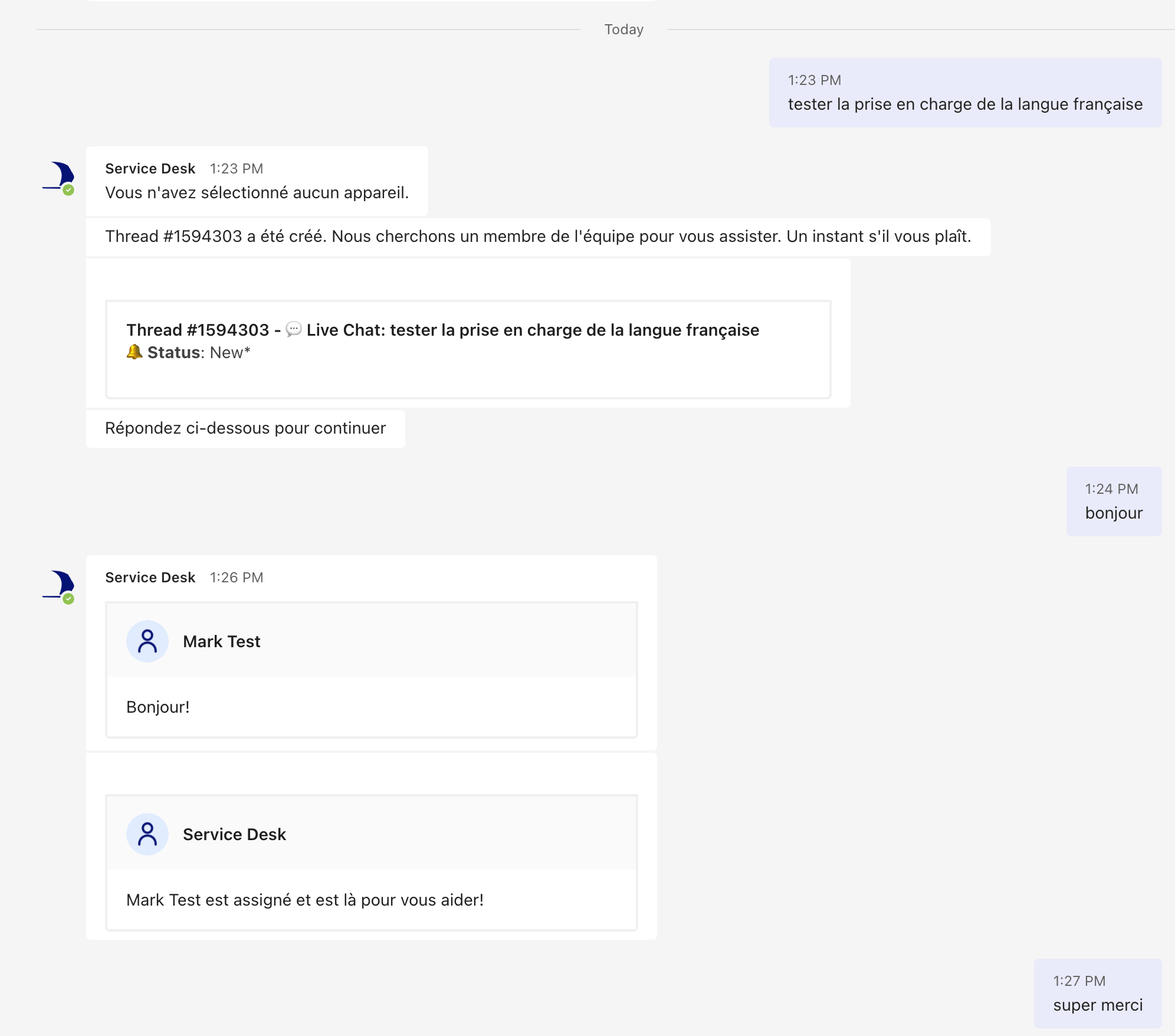
Interface and bot localisation is English and French only, and only in standalone Messenger
and Messenger in Teams. Slack is not supported for language switching today.
Set the default language
Language follows Thread’s usual hierarchy: set a default for everyone, then override per customer where you need something different.1
Set the workspace default
In the Admin Panel go to Messenger and choose the default language for all customers. It’s English unless you change it. Switching to French updates both the interface and the bot prompts.
2
Check the bot prompts
Click Override initial bot prompts to see the prompts in the selected language.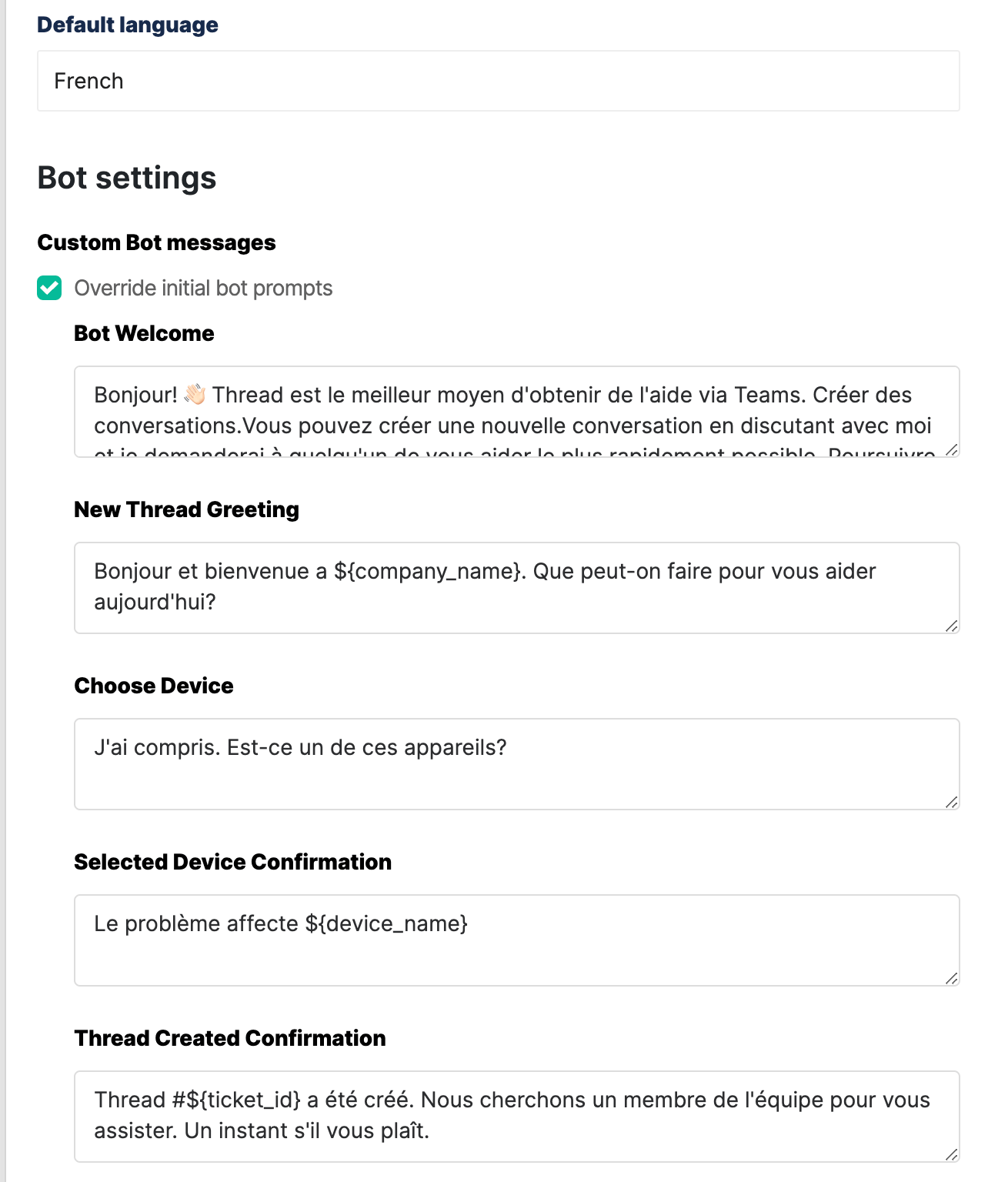
3
Override per customer
Set a different language on an individual customer where their default differs from yours, so you can tailor the experience client by client.
What the customer sees
In standalone Messenger: