Magic Library
Overview
If you already integrated CloudRadial, please ensure that you delete the header text before performing the following.
Connect CloudRadial to Thread
1
Open the Thread Integrations panel
Navigate to Thread Admin Panel -> Integrations
2
Set up your CloudRadial Integration
Click to set up your CloudRadial Integration.
3
Enter your CloudRadial portal URL
Enter your CloudRadial portal URL -> Click Connect & Save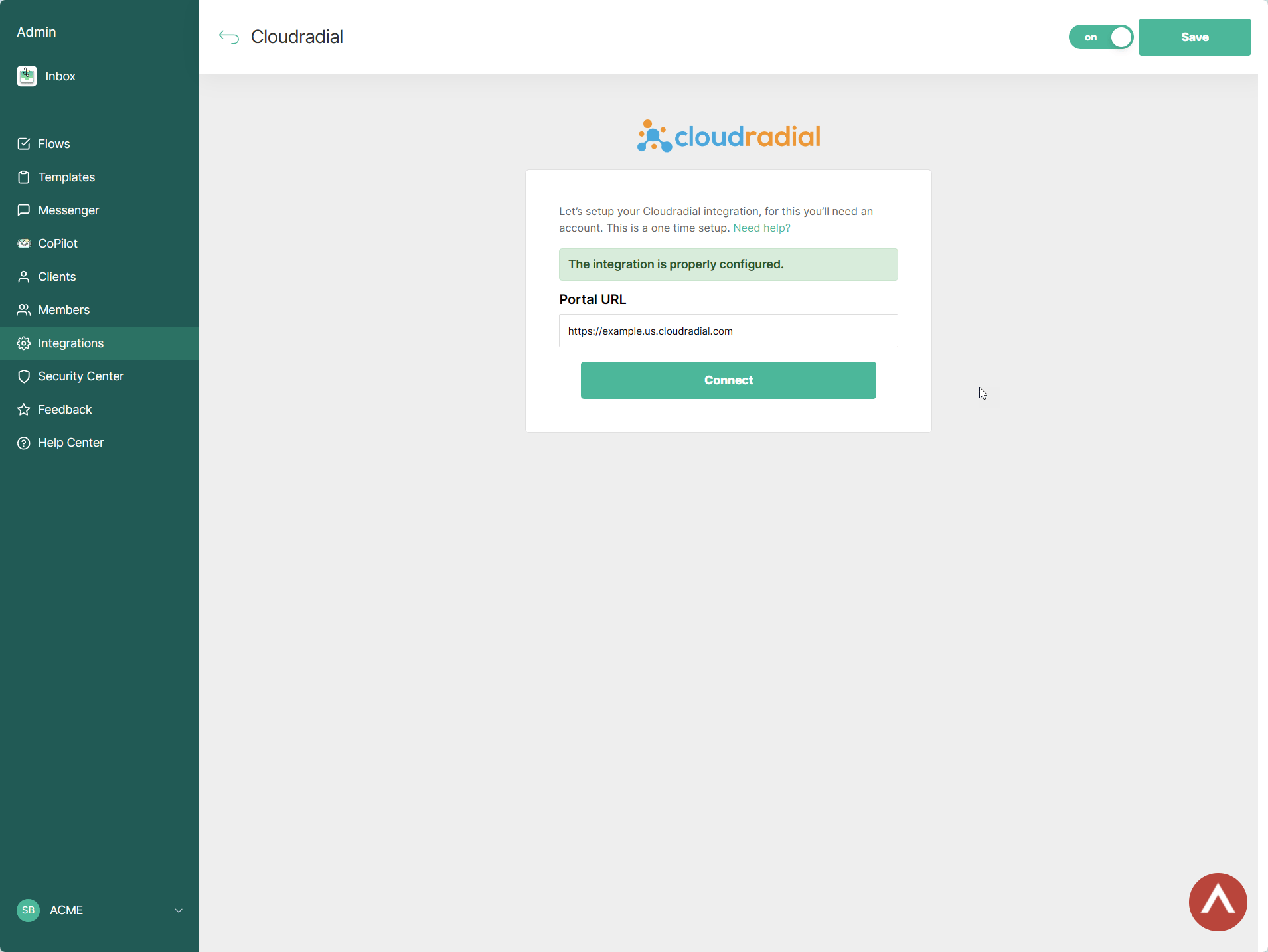
4
Retrieve your AppID
Retrieve your AppID here (keep this AppID handy, you will need it shortly)
5
Open the CloudRadial application
Next, Navigate to the home page of the CloudRadial application.
6
Go to Partners -> Settings
Go to Partners -> Settings.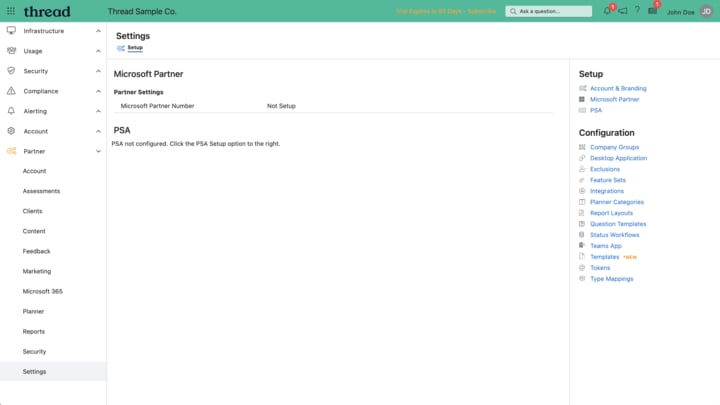
7
Open Integrations
Then, click Integrations on the right side.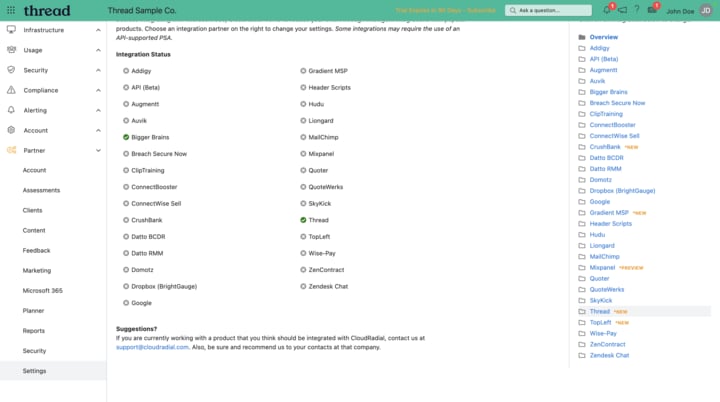
8
Select the Thread integration
On the right side, click Thread integration.
9
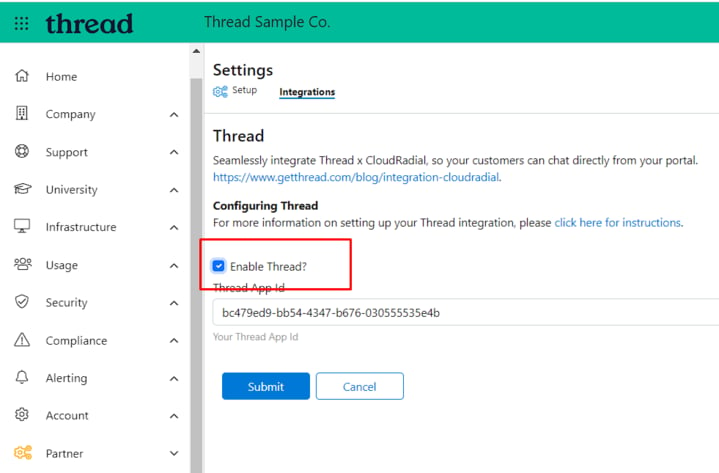
Enable Thread and enter your AppID
Click enable Thread, enter the AppID, and click submit.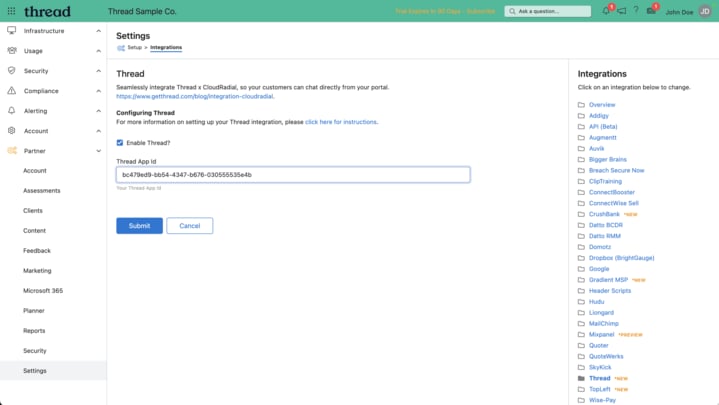
How to disable the CloudRadial Integration
To disable the CloudRadial Integration, navigate to the home page of the CloudRadial application, and then go to Partners -> Settings -> Integrations (same steps as above). Then you can uncheck the “Enable Thread?” box.