

 Magic Library
Hudu Integration Guide
The Hudu integration connects your Thread environment directly to your Hudu documentation platform. This integration enables Thread’s AI, “Super Magic,” to access, read, and reference your Hudu knowledge base articles alongside Thread’s internal knowledge base. Currently, this integration functions by searching your Hudu instance globally to retrieve relevant information for technicians. Super Magic searches your Hudu documentation and Thread’s internal knowledge base simultaneously, so technicians get answers from both sources without leaving their workflow.How To: Set Up the Hudu Integration
Prerequisites- Admin access to your Thread dashboard.
- Admin access to your Hudu instance to generate API keys.
1
Generate an API Key in Hudu
- Log in to your Hudu instance.
- Navigate to Admin > API Keys.
- Click New API Key.
- Name the key (e.g., “Thread Integration”) to identify it later.
- Copy the API Key.
2
Configure the Integration in Thread
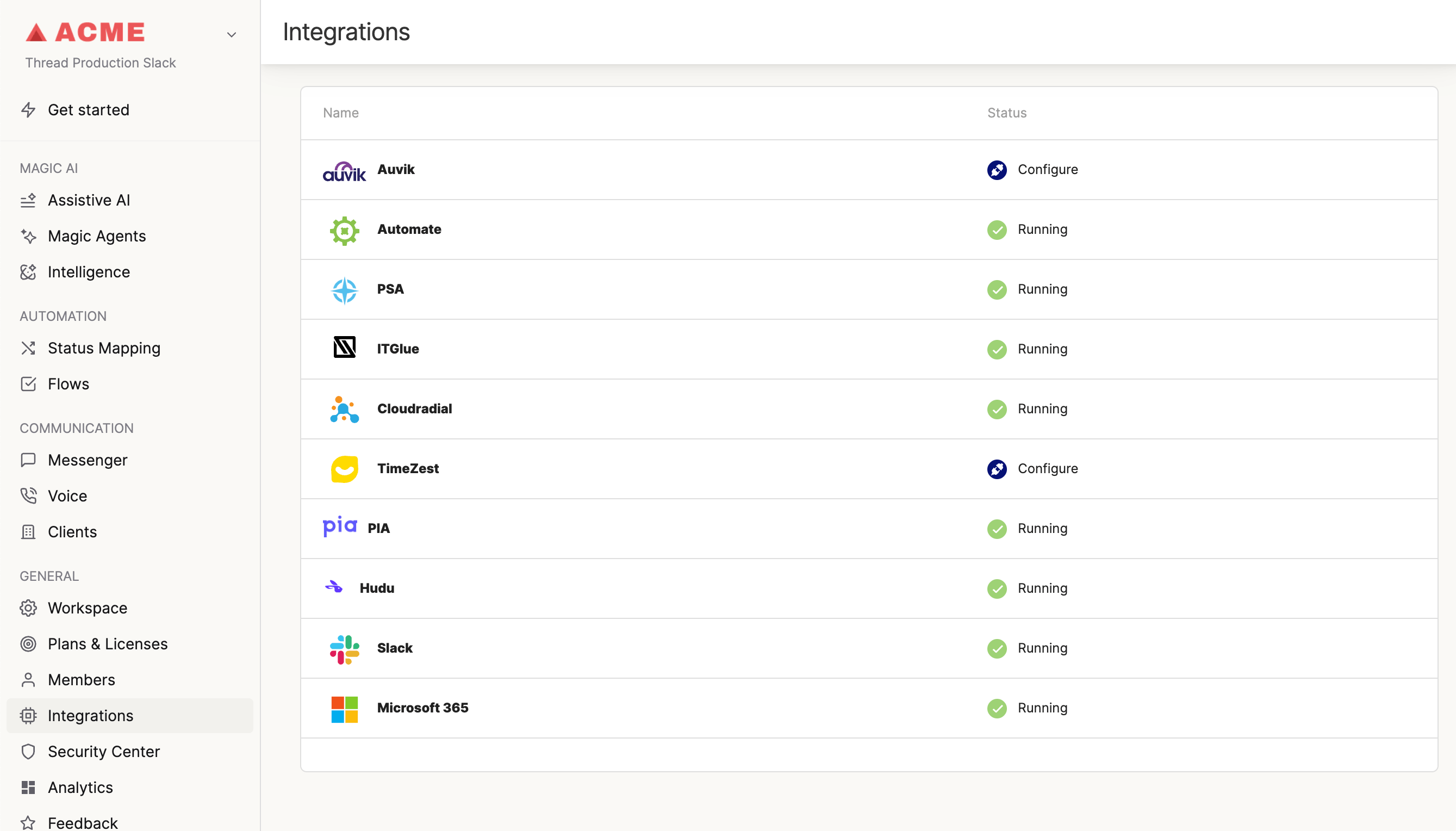
- Log in to the Thread Admin dashboard.
- Navigate to the Integrations panel.
- Locate and select the Hudu integration.
- Enter your Hudu Base URL.
- Paste the API Key you generated in Step 1.
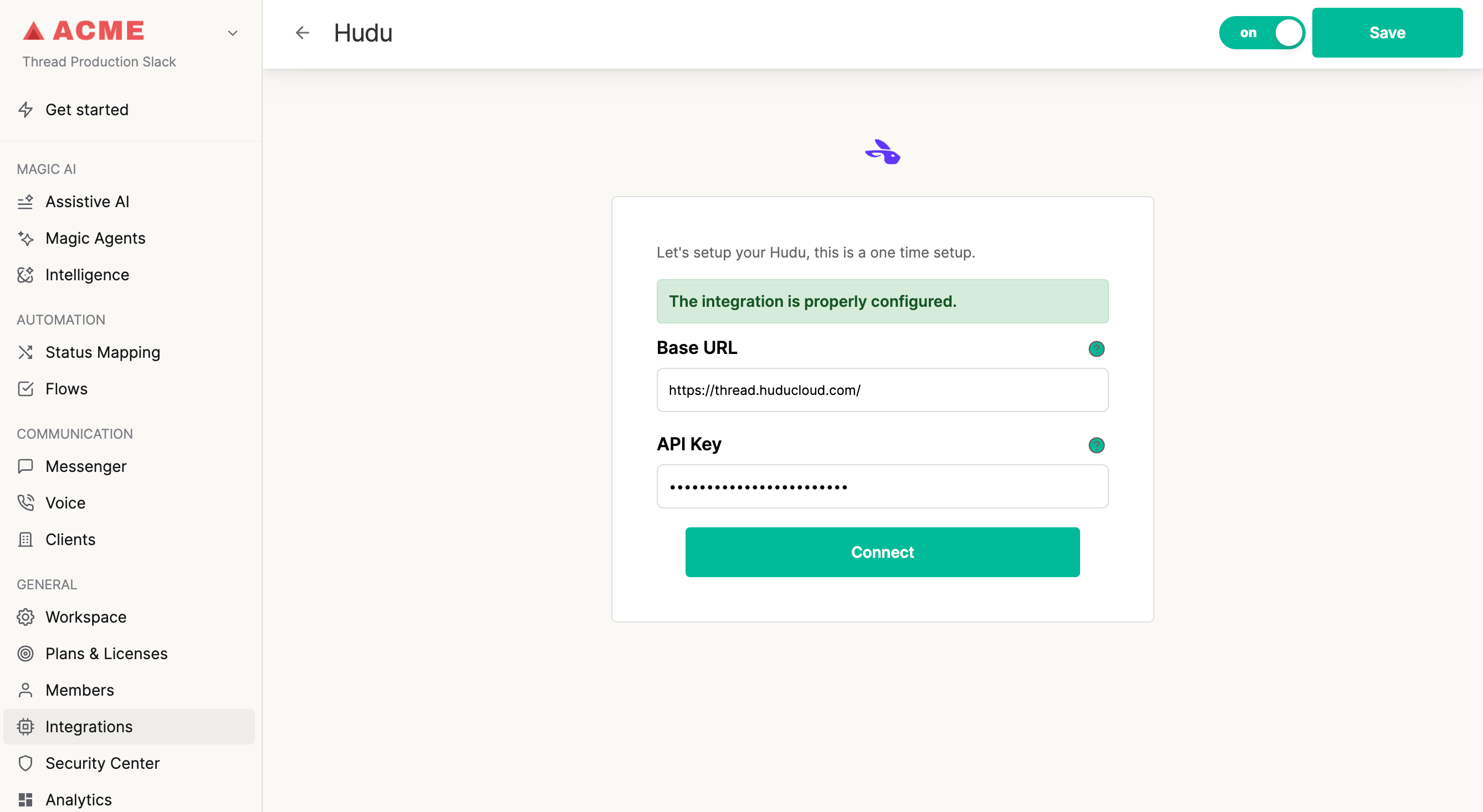
- Click Save to complete the configuration.
3
Verification
Once saved, the integration is immediately active. You can test this by opening a thread (in Slack or Teams) and using “Super Magic” to ask a question related to an article stored in Hudu. The AI should be able to retrieve the information and provide a link to the source article.
Important Notes
- Company Mapping: Currently, the integration searches Hudu globally. It does not yet strictly map specific Hudu companies to specific Thread companies, though dynamic mapping is being explored for future updates.
- Release Scope: For the current release, Super Magic will pull answers from Hudu, but the user interface may not explicitly distinguish between a “Thread article” and a “Hudu article” until the user clicks the source link.