Manager Guide -Getting started with Client Intelligence

Getting Started with Client Intelligence
Client Intelligence is an automated knowledge base feature that transforms your resolved threads into actionable intelligence. By leveraging your historical ticketing data, Knowledge automatically generates articles, provides proactive resolution suggestions to technicians, and allows you to query your environment using AI.
Read on to learn more about -
- Client Overview Dashboard: highlighting company-level insights for sentiment, open tickets, time spent on issues, top recurring issues, and more
- AI-Generated Knowledge Base: Resolved threads automatically generate and refine client-specific KB articles, reducing manual documentation while helping technicians maintain consistency during troubleshooting. Articles are also accessible directly in Ask Magic for on-demand reference.
- Contacts List: provides one spot to see all contacts for a specific client and their issues within one view
- Configurations: shows a list of unique configurations that are used for contacts within a client
- Applications: provides lets you see which software is used by which contacts within a client
- Client Notes: MSPs can now add custom notes about specific clients that are easily discoverable. Technicians can ask Magic about any client and retrieve these notes along with other client intelligence - ensuring critical context is always accessible when needed.
How It Works
The core engine of Client Intelligence relies on closed threads. Every time a thread is resolved, the system analyzes the interaction and generates a knowledge article.
- New Issues: If the issue is unique, a new article is created.
- Recurring Issues: If the issue matches an existing topic, the system updates the existing article with new findings.
Tip: The improved accuracy of your Knowledge base relies on the volume of threads you close. The more data you feed it, the smarter it becomes.
The Client Intelligence Dashboard
The main dashboard provides a high-level view of your clients health and efficiency.
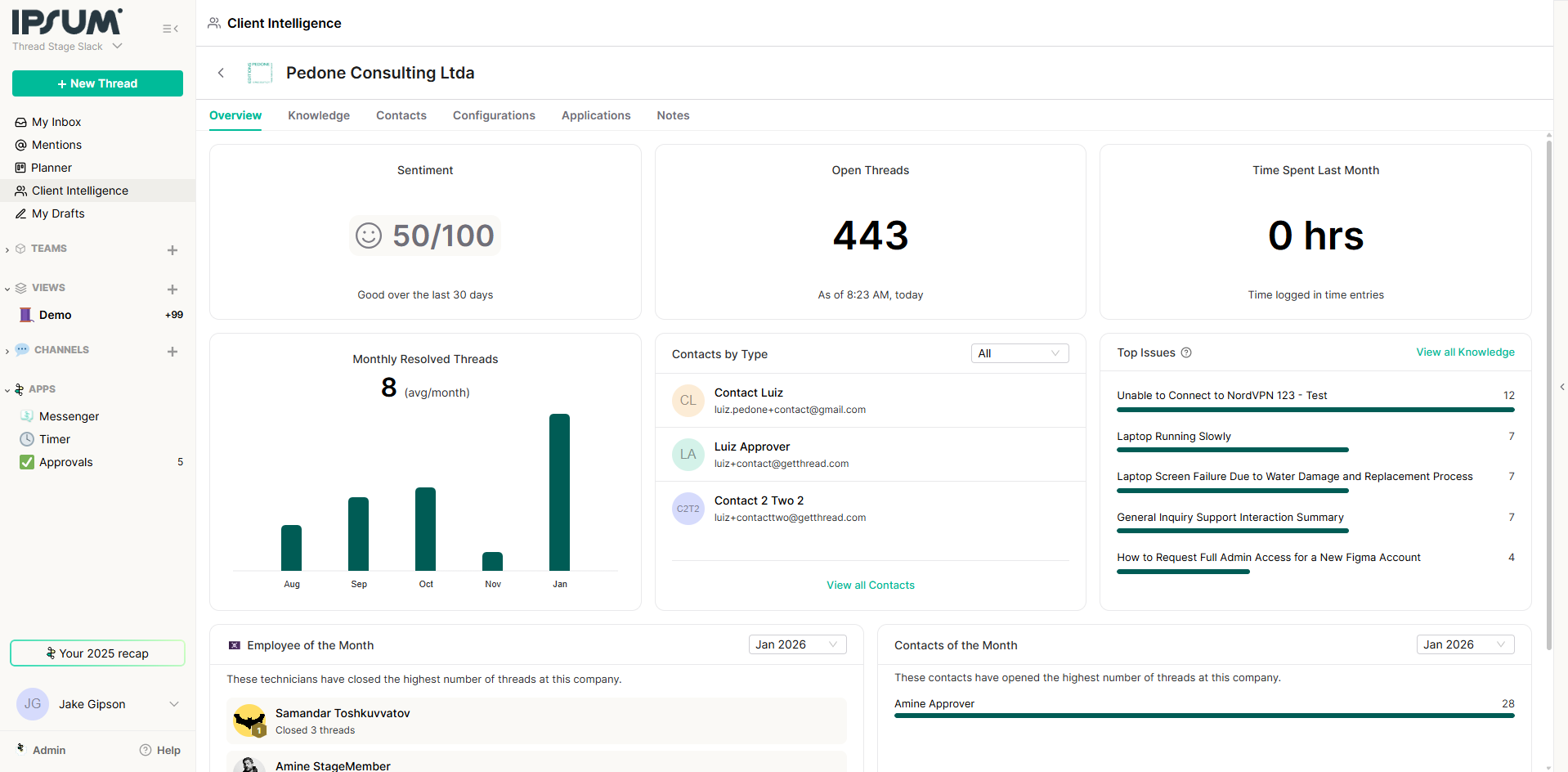
Key Metrics
- Sentiment: An AI-analyzed overview of client sentiment.
- Volume: Tracks thread volume over specific periods (e.g., past 2 days).
- Knowledge Articles: The total count of articles generated.
- Open Seconds: Total time threads have remained open.
- Top Issues: Identifies the most frequent problems matching your knowledge base (e.g., "NordVPN connection issues").
Company & Contact Views
You can drill down into specific companies (e.g., Acme Corp) to view:
- Approvers & Points of Contact: detailed contact intelligence.
- Employee/Contact of the Month: Highlights technicians closing the most threads or contacts opening the most.
Past Threads: A history of interactions for specific contacts.
Configurations & Applications
These tabs provide a granular look at the technical environment:
- Configurations: Displays a list of unique configurations used by contacts within a client.
- Applications: Shows which software is being utilized by which contacts within a client.
Managing Knowledge Articles
You have full control over the content generated by the AI.
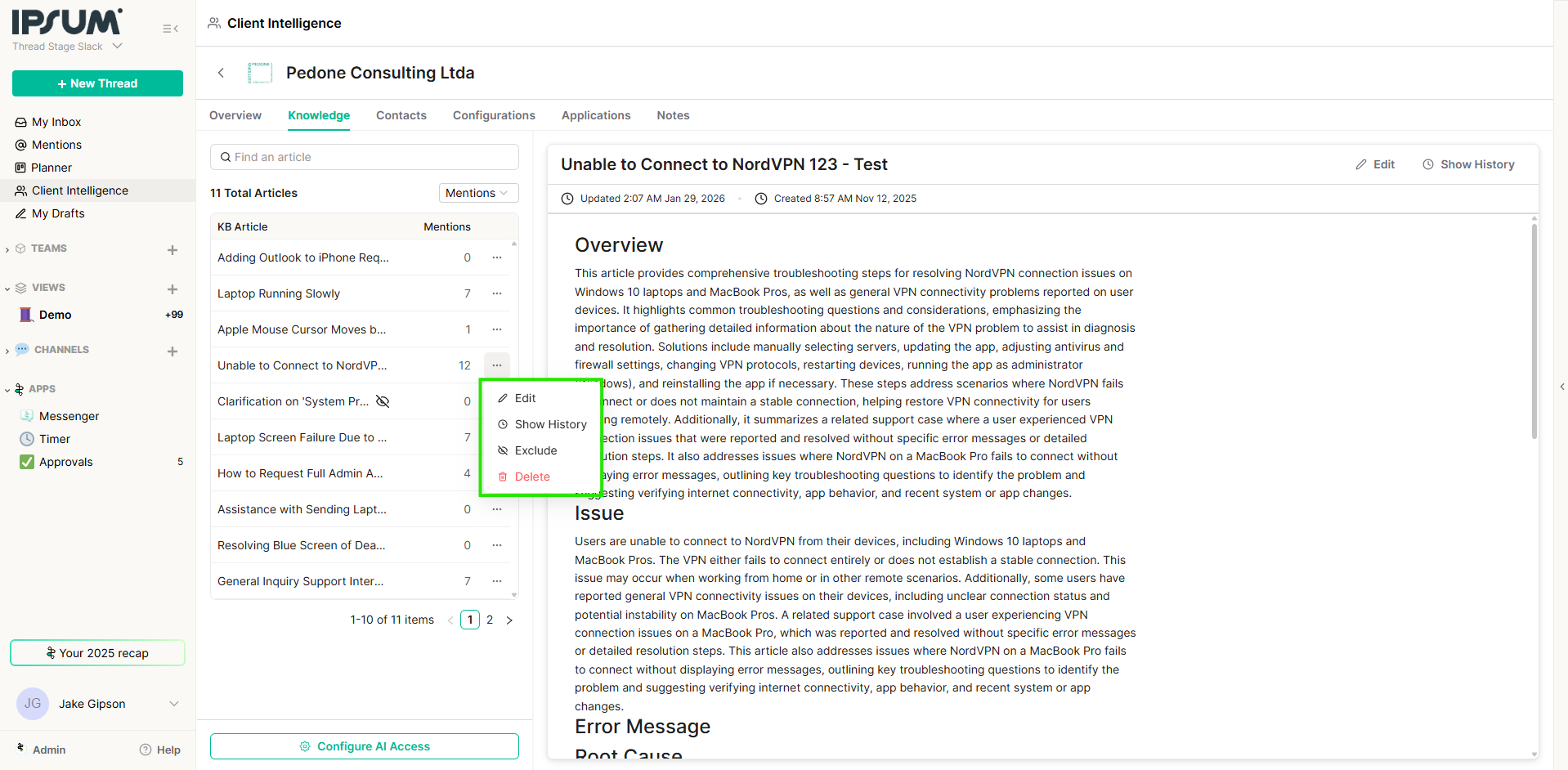
Editing and Curating
- Edit: If an auto-generated article isn't quite right, you can manually edit and save changes.
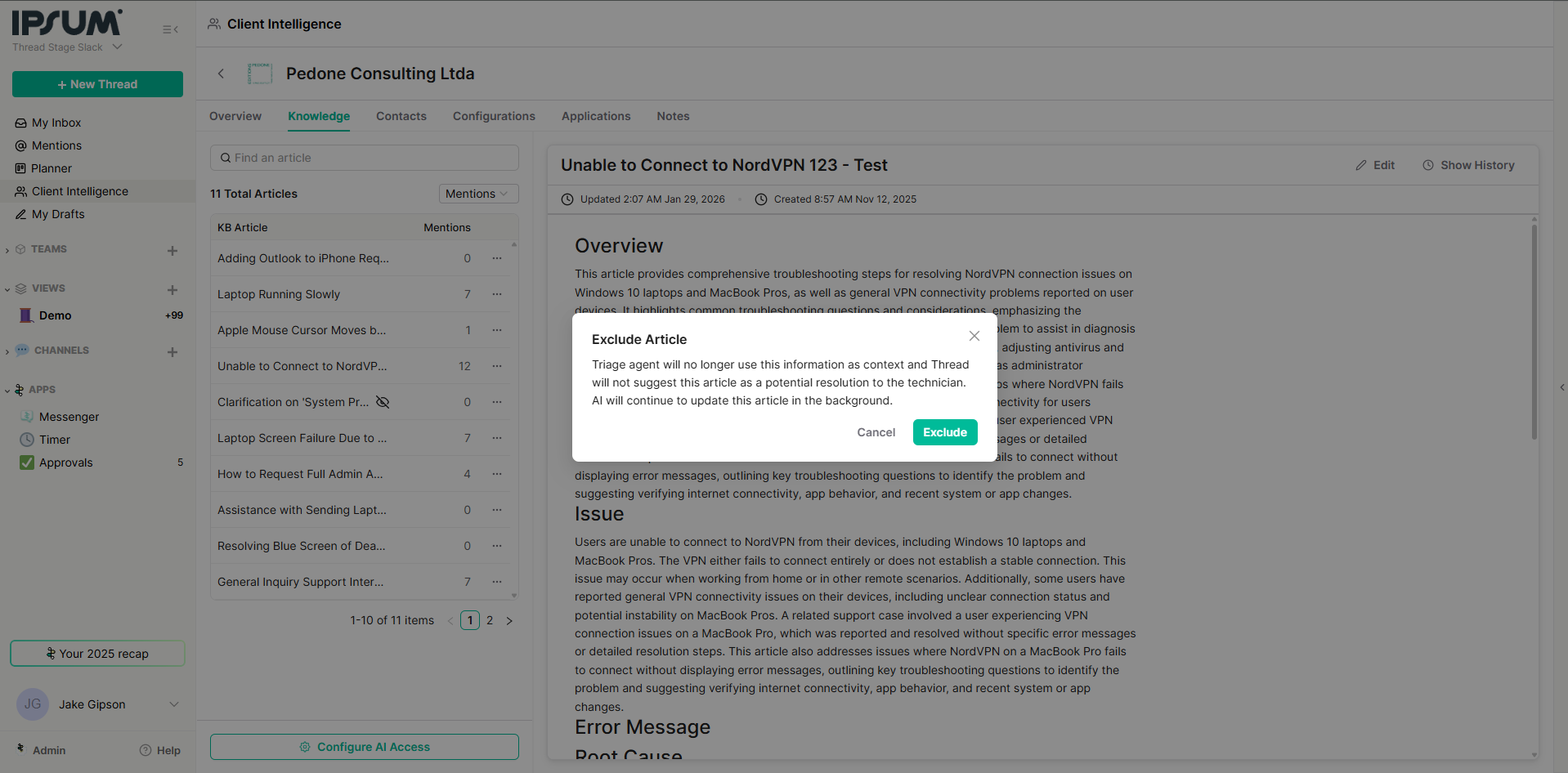
- Exclude: Click the Eye icon (Exclude) to hide an article from the AI's reference. These appear in the "Excluded Articles" list.
- Auto-Update: This company-level setting ensures documentation evolves automatically as new threads are closed.
Deleting Knowledge for a Client Admin Only
Admins have the ability to delete all AI-generated articles for specific clients if needed. This is particularly useful if a client requests no AI association or if you want to reset the knowledge base for a specific tenant.How to Delete Knowledge:
- Navigate to the Client Intelligence list view.
- Locate the specific client row.
- Click the "..." (More Options) menu on the right side of the row.
- Select Delete Knowledge from the dropdown menu.
Confirmation and Future Generation:
A confirmation modal will appear with a critical option:- Checkbox: "Don't generate any new articles for this company"
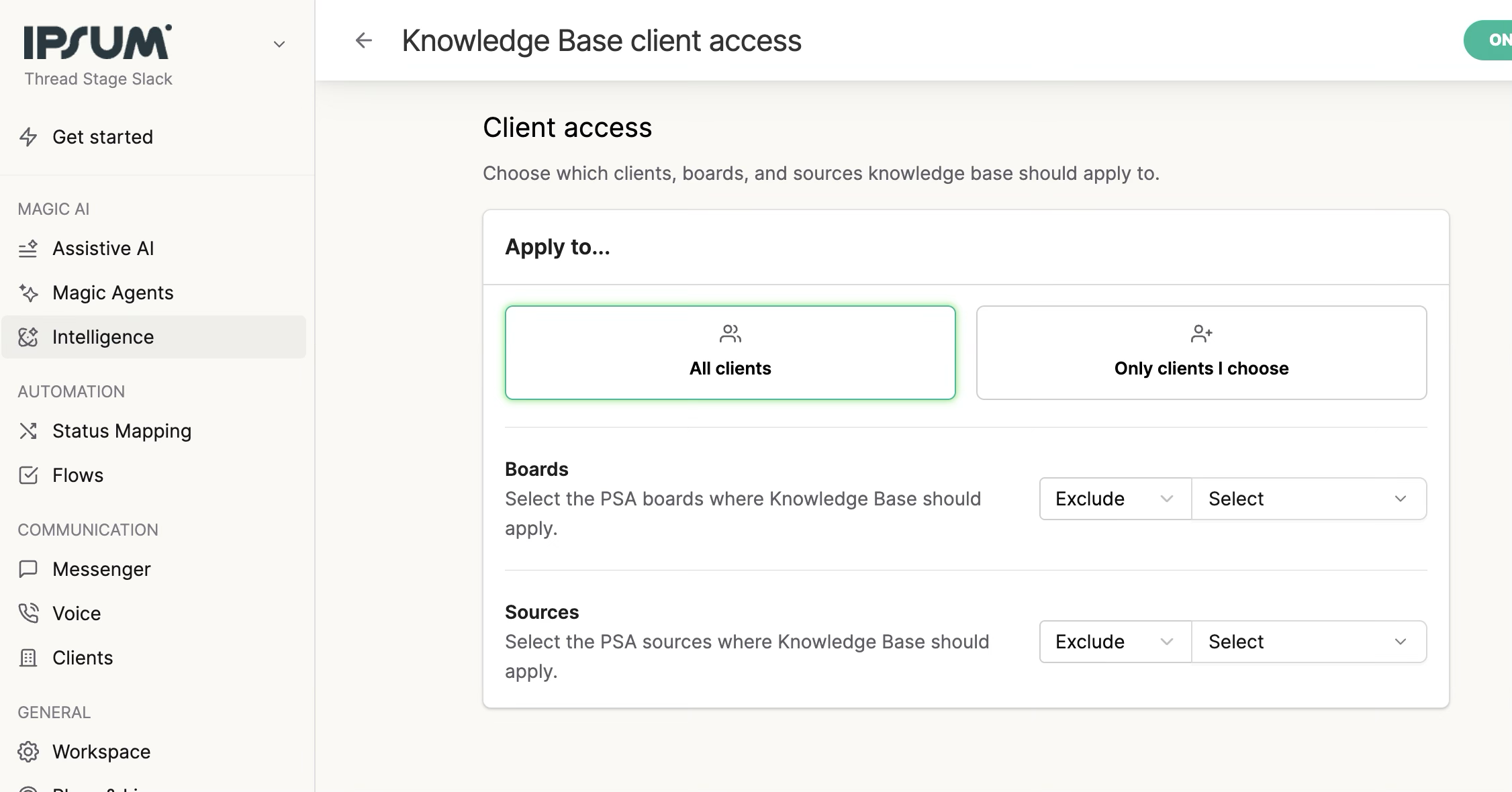
Important Note: While checking the box stops future generation, you may still need to go into Admin > Intelligence > Client Access to manually remove the client from the included clients list to ensure full compliance.
Best Practice - Client Access
It's important to exclude things like "Alert Boards" to avoid creating too much noise.We recommend that Admins exclude alert boards in the Admin > Intelligence > Knowledge Base - to avoid generating noise from irrelevant Threads. We also recommend that you include only the clients that you want to generate Knowledge Base Articles for (eg. exclude internal teams, test clients, etc.)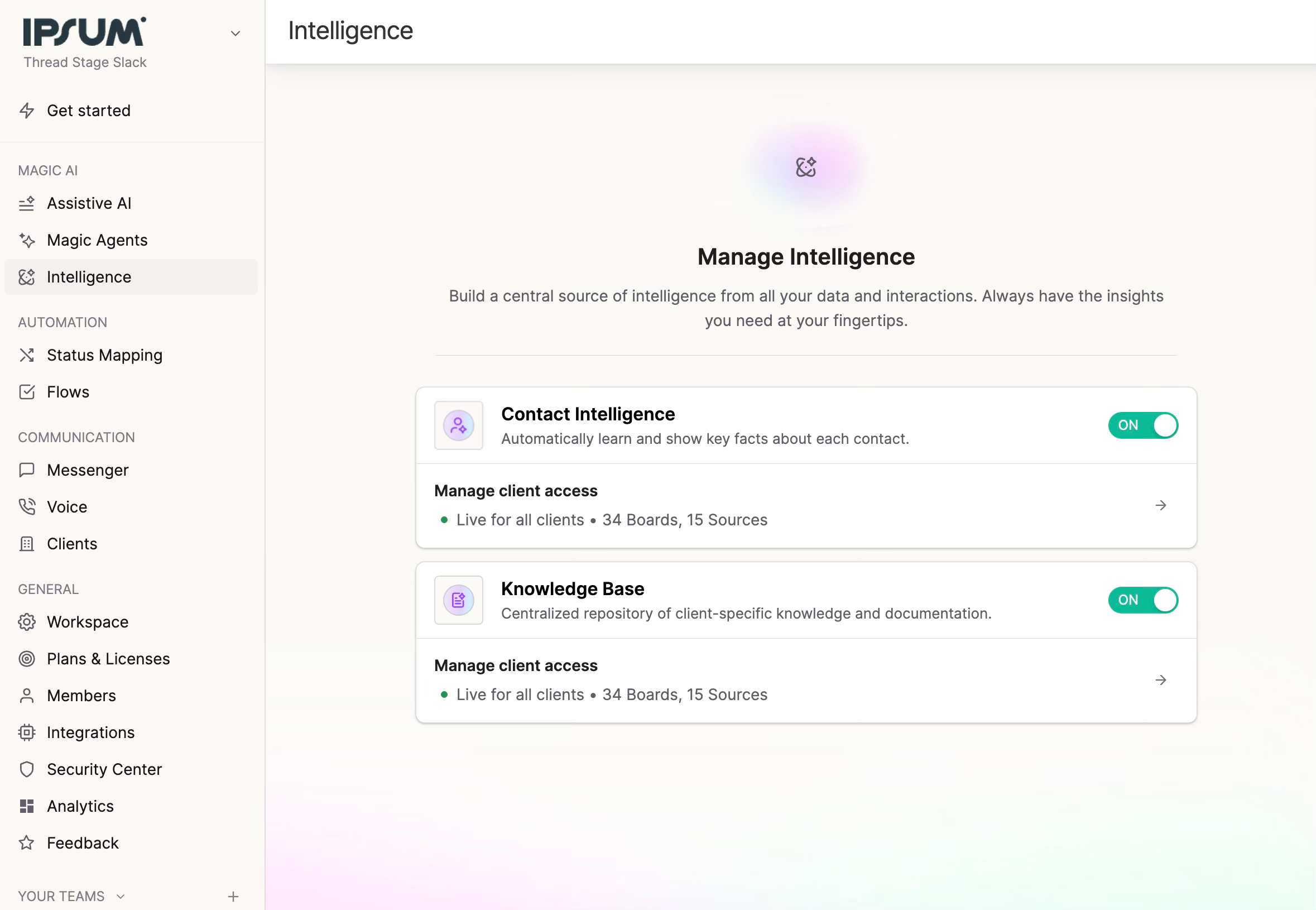
Client Notes (Static Knowledge)
For information that doesn't come from tickets—such as executive sponsors, approved hardware lists, or SOPs from external tools like IT Glue—use the Notes section.
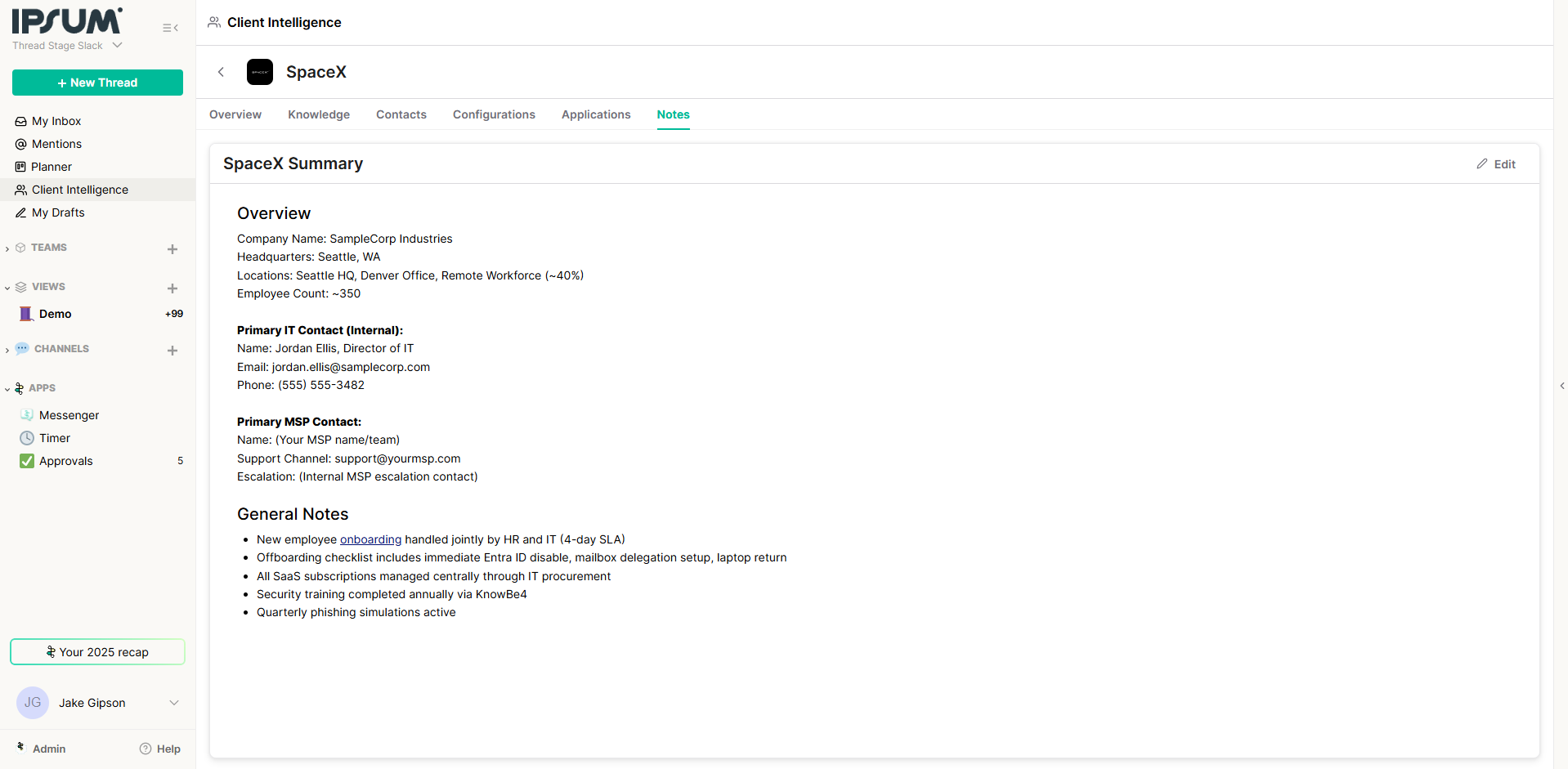
- How to use: Copy and paste static text (e.g., "Approver List" or "Change Request Process") into the Notes tab.
- Result: This information is immediately indexed and becomes searchable via Ask Magic.
Ask Magic: AI-Powered Reporting & Assistance
Ask Magic allows you to query your data using natural language. It works in the Dashboard, Inbox, and within specific Tickets.
Use Cases
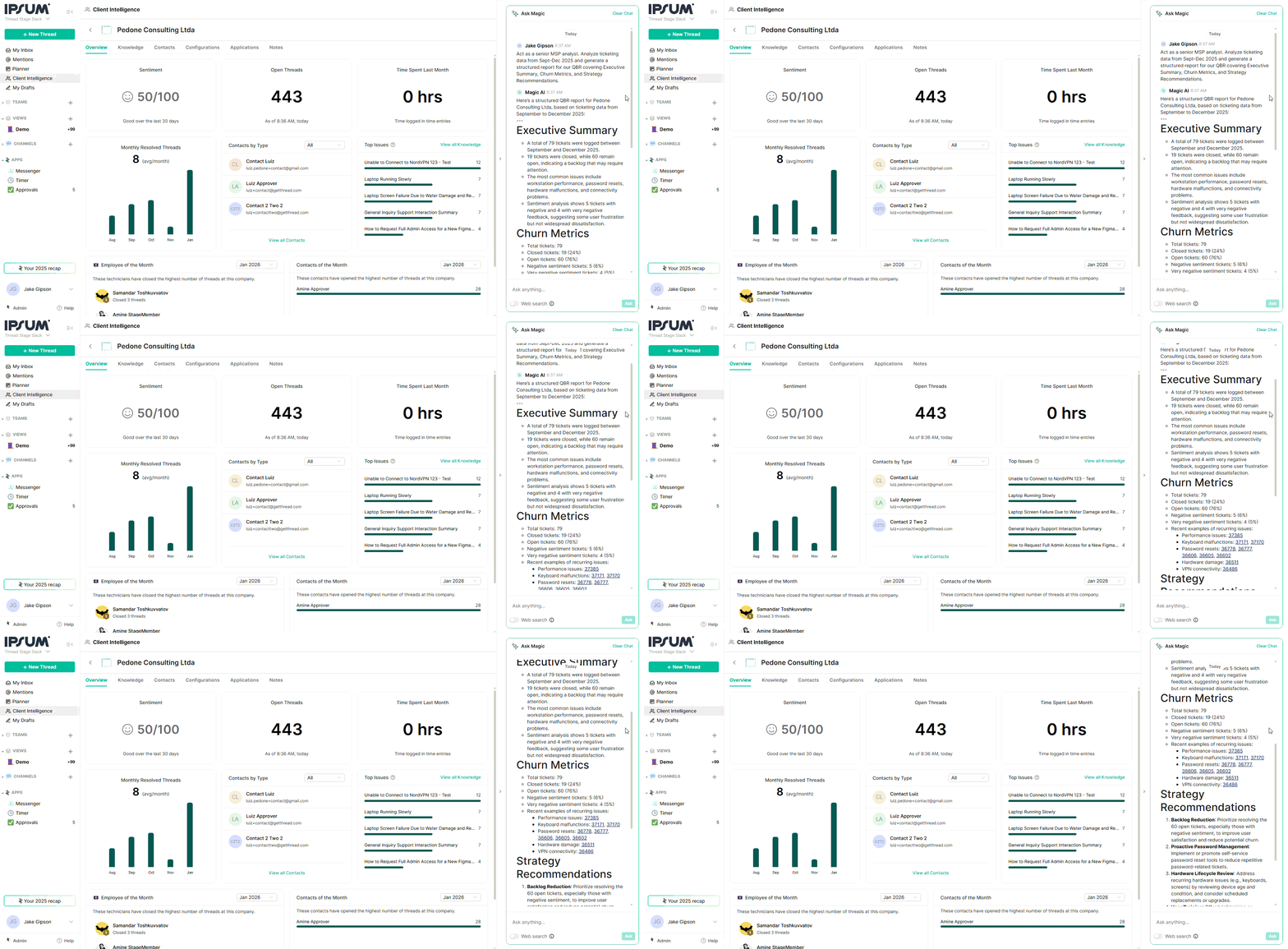
- Generate Reports (QBRs):
- Prompt: "Act as a senior MSP analyst. Analyze ticketing data from Sept-Dec 2025 and generate a structured report for our QBR covering Executive Summary, Churn Metrics, and Strategy Recommendations."
- Operational Queries:
- Prompt: "What are the most common issues for [Client Name] last month?"
- Prompt: "Who is the internal IT resource for the [Location] office?"
- Technician Assistance (Inbox):
- When a technician opens a thread (e.g., "VPN not working"), Ask Magic proactively suggests resolutions, context, and links to relevant Knowledge Articles without the tech needing to search.
