Thread Intellegence - Service Tech Guide

Service Tech Guide: Intelligent Resolution & Documentation
Concept
Thread Intelligence is an automated research assistant that captures and surfaces technical resolutions directly within the technician's workflow. It compiles "Zero-Touch" resolution steps based on historical open, closed, or delayed tickets.
Value
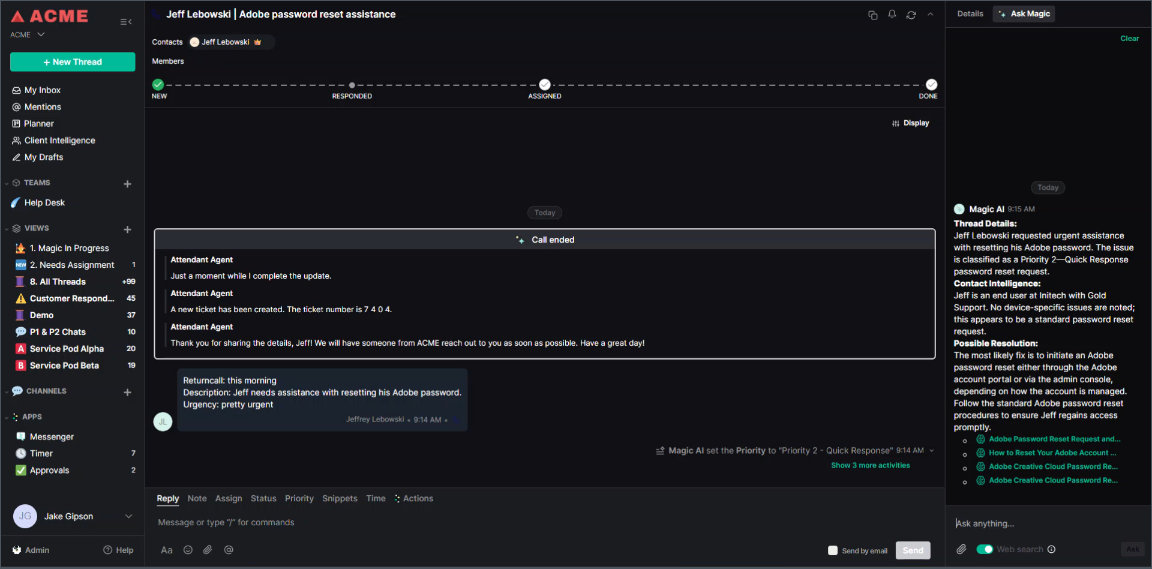
- Reduced Research Time: "Ask Magic" automatically suggests relevant knowledge articles during active conversations, so you never have to leave the thread to search for a fix.
- Automated Knowledge Base Building: Articles are auto-created and updated based on actual ticket resolutions, removing the burden of manual documentation.
- Unified Information Access: View company-specific stakeholders, standard applications (e.g., VPN types), and technical notes in one place.
How To: Resolving Tickets
- Utilize In-Conversation Suggestions:
- While working a thread, watch for Ask Magic to suggest matching articles for the current topic.
- Review resolution steps and troubleshooting questions directly within the chat sidebar.
- Review and Edit Knowledge Articles:
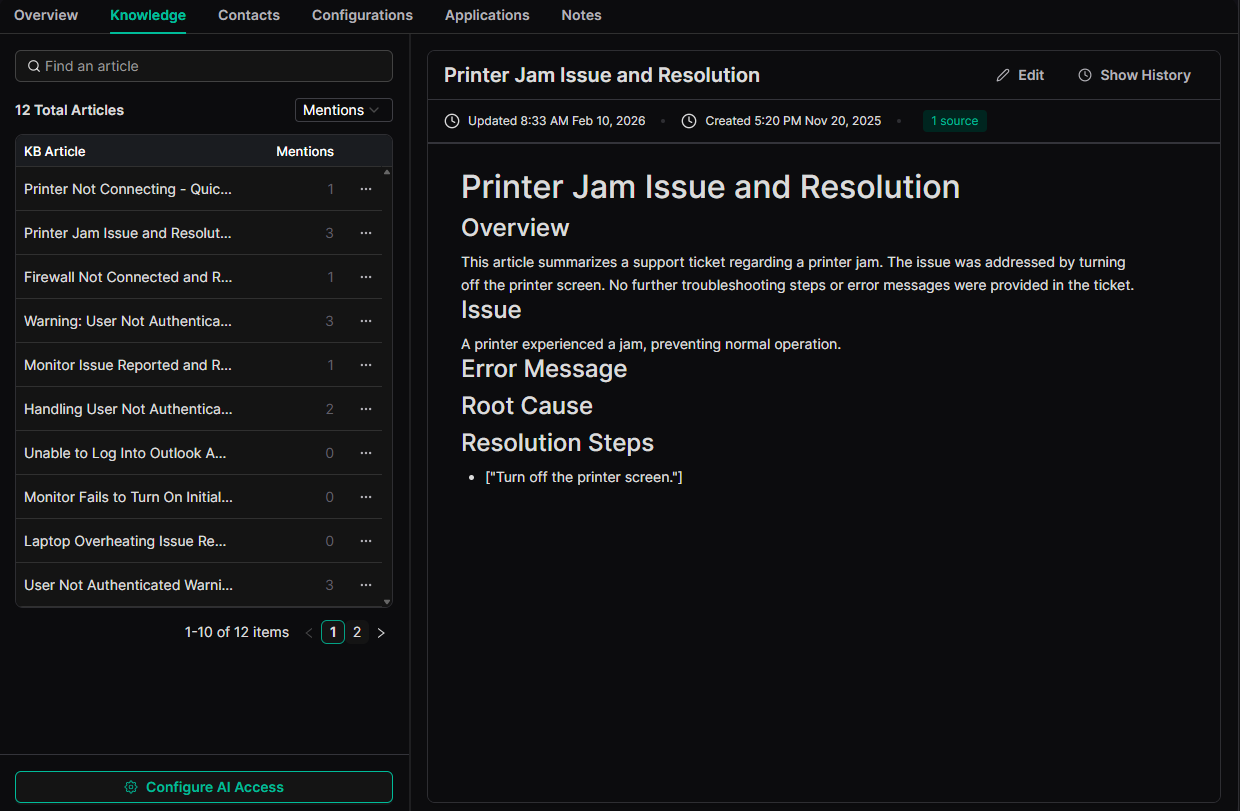
- Open the Knowledge tab under a client profile to see articles created from past conversations.
- Select "Contributing Threads" to read through the historical context that formed the article.
- Manually delete sections or change titles using the "Notion-style" editor if the AI-generated content needs refinement.
- Access Company Notes (Master Intents):
- Visit the Notes section for a client summary.
- Check for standard company tools (like "MacBook Pros" or "NordVPN") and stakeholder names to ensure your resolution matches their specific environment.
- Identify Client Software Stacks:
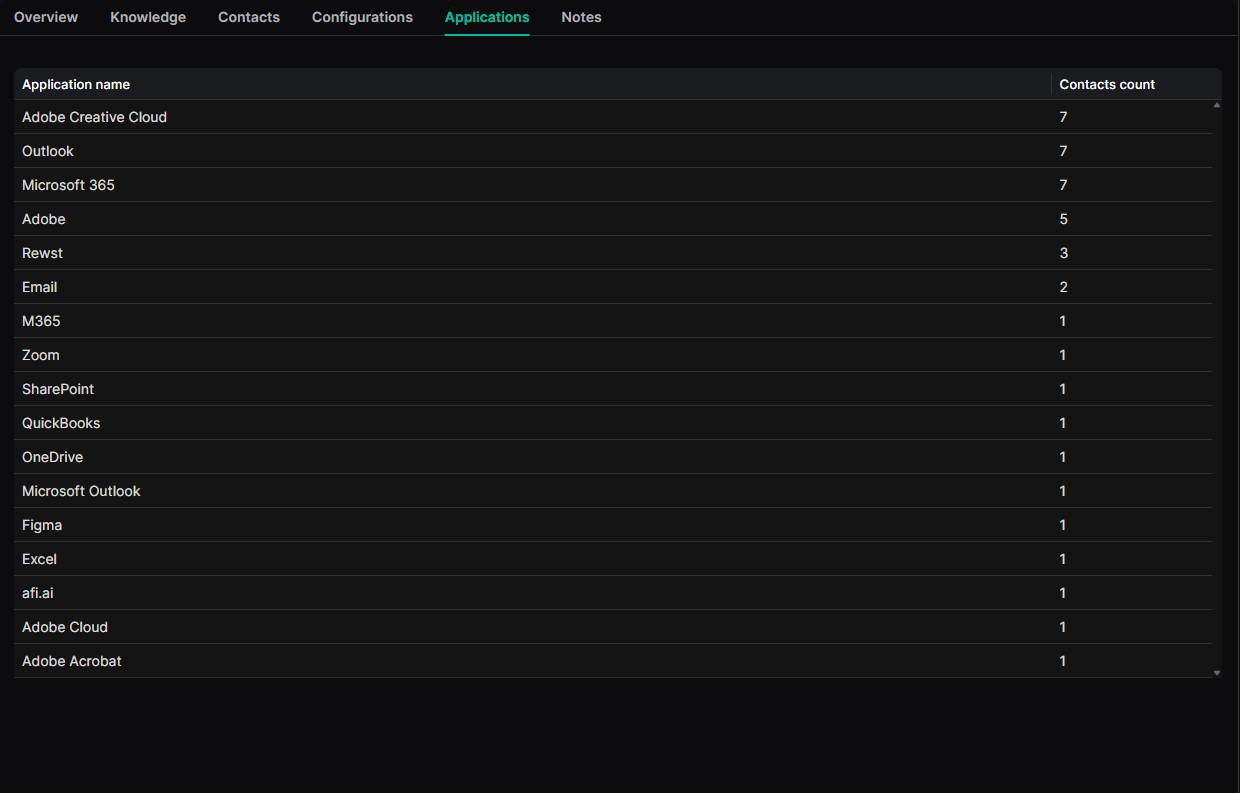
- Use the Applications list to see which software the client uses based on conversation history and contact intelligence.
- Check which specific contacts are associated with certain applications for targeted troubleshooting.