Voice AI Setup - 2️⃣ Phase 2: Attendant - Passthrough Mode

What is Passthrough and why use it?
Passthrough is a Silent mode where the AI listens, records, matches contacts, and creates tickets without speaking to the caller. Use this if your clients aren't ready for AI to answer calls directly—you still get the value (recording + tickets) without the risk.
Configuration
- Agent Type: Select 'Attendant '.
- Request a Number - Request a number that will be used to call the Attendant.
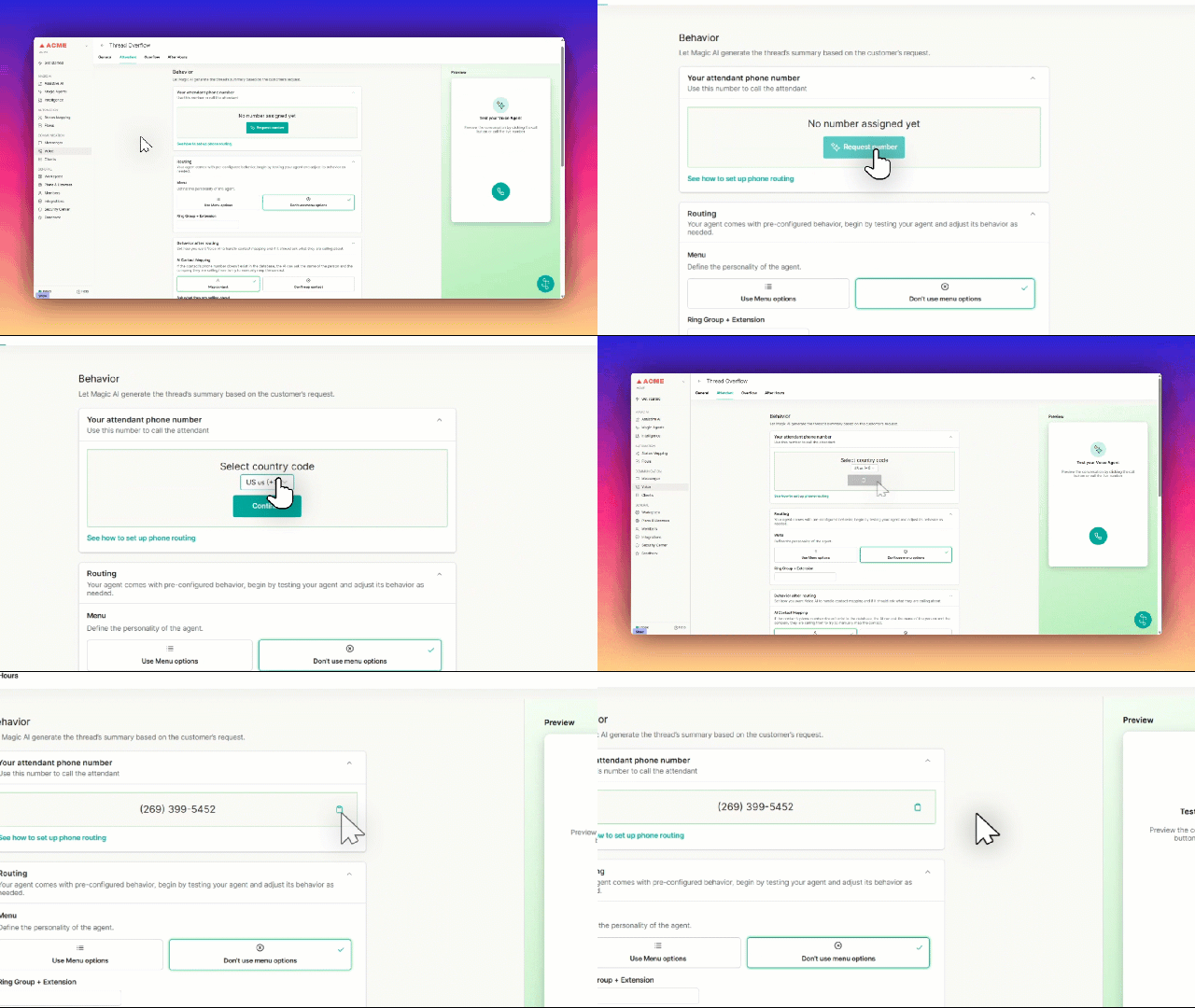
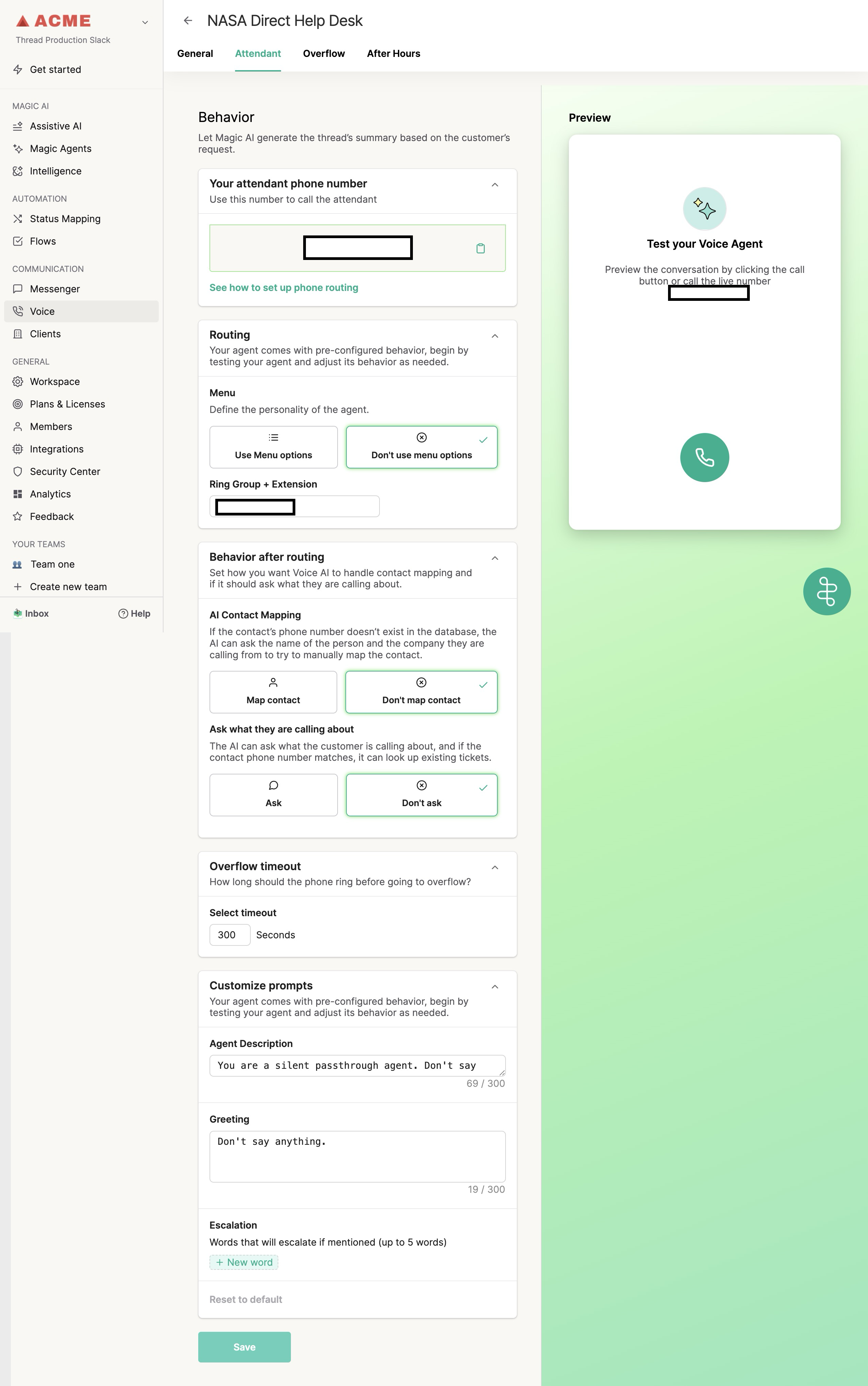
- Routing Mode: Select "Don't use menu options" .
- Transfer Destination: Enter the phone number or Ring Group extension where validated calls should go.
- Contact Mapping: For "Passthrough Mode" , select "Don't Map Contact".
- Customize what the Agent Asks the Caller: For "Passthrough Mode", select "Don't Ask"
- Overflow Timeout: Define how long the phone should ring before going to an overflow Agent . For "Passthrough Mode", enter a timeout of 300 Seconds.
- Customize Prompts: For "Passthrough Mode", Enter "You are a silent passthrough agent. Don't say anything, just move on" under "Agent Description" and "Don't say anything" under "Greeting"
Once completed, your Attendant settings should reflect the below Screenshot, confirming "Passthrough Mode" has been Enabled.