Voice AI Setup - 1️⃣ Phase 1: Overflow Agent

Goal: 24/7 Ticket Creation. Zero transfers. Immediate value.
Overview: The Overflow Agent handles calls when your Techs are busy. It focuses exclusively on message capture and ticket creation, NEVER attempting to transfer calls.
Configuration
- Your Overflow number - Create a phone number to be used for Routing purposes.
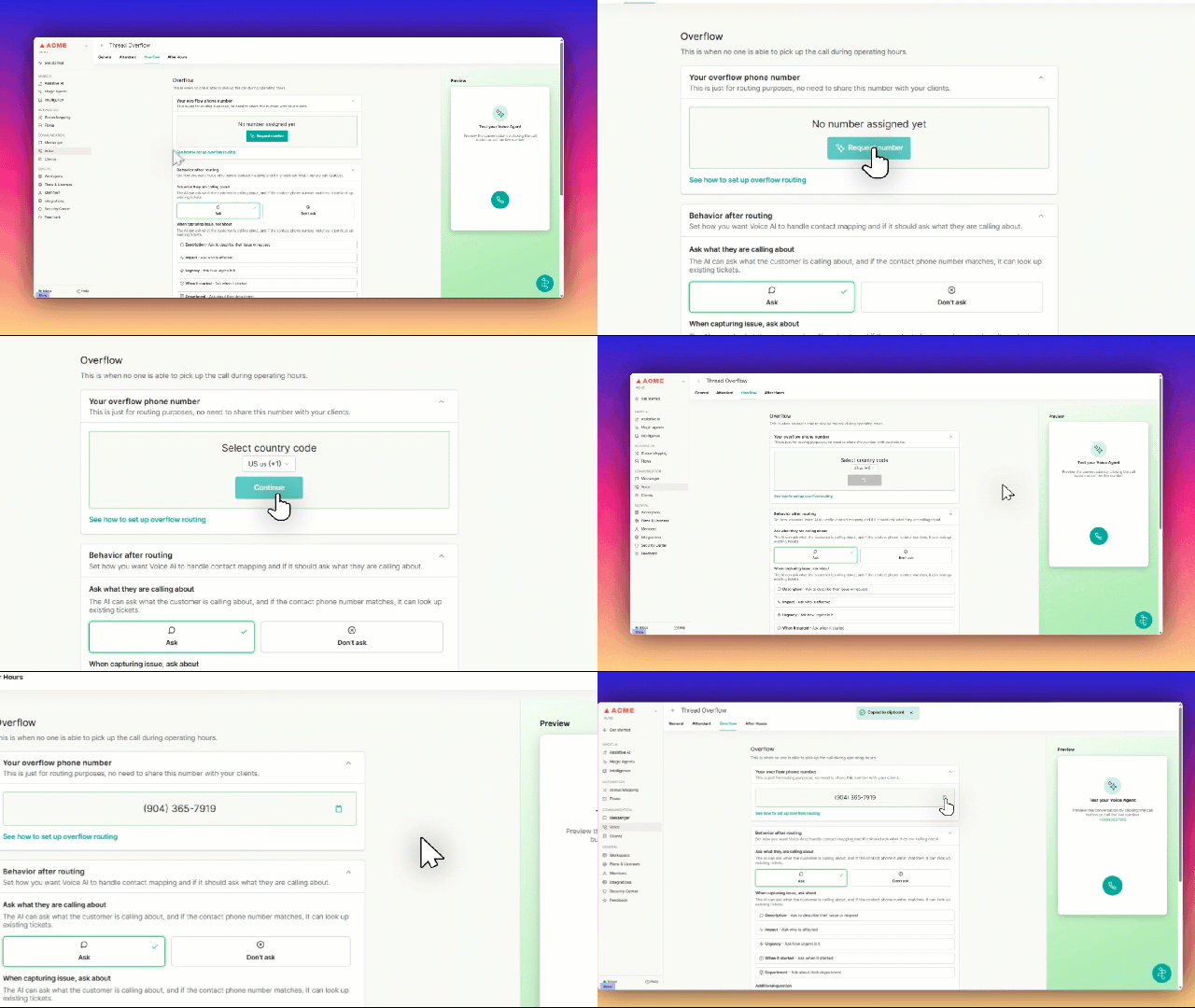
- Issue Capture: Enable default questions if ASK is selected (Name, Company, Issue Description).
Custom Questions: Limit to ONE (e.g., "Do you have a ticket number?").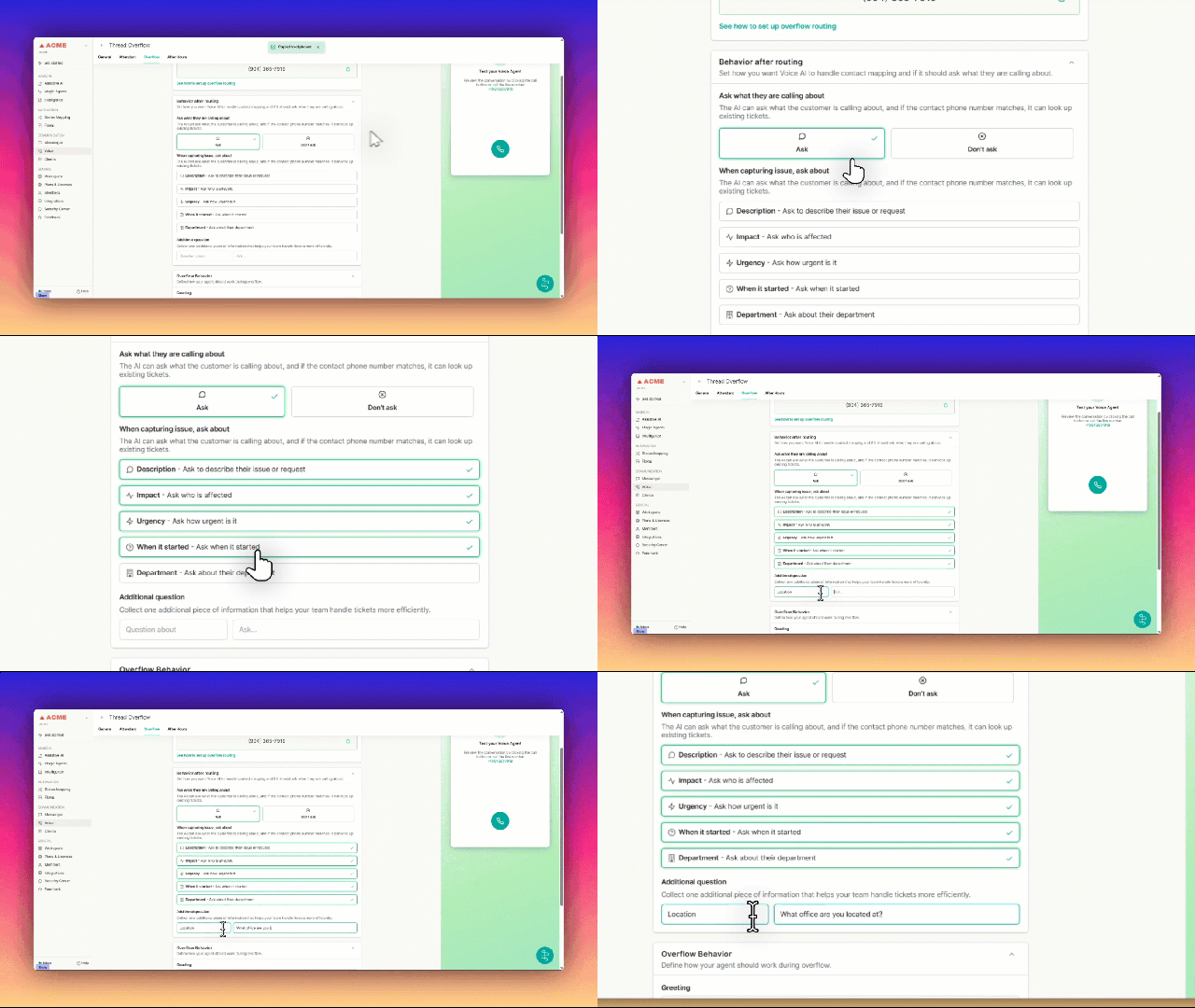
- Overflow Behavior: Define how your Agent should work during Overflow Recommended: "Introduce yourself as an AI Agent who will take a message for the team." OPTIONAL - Create up to 5 Escalation words that if heard will attempt to route directly to a Service Tech.
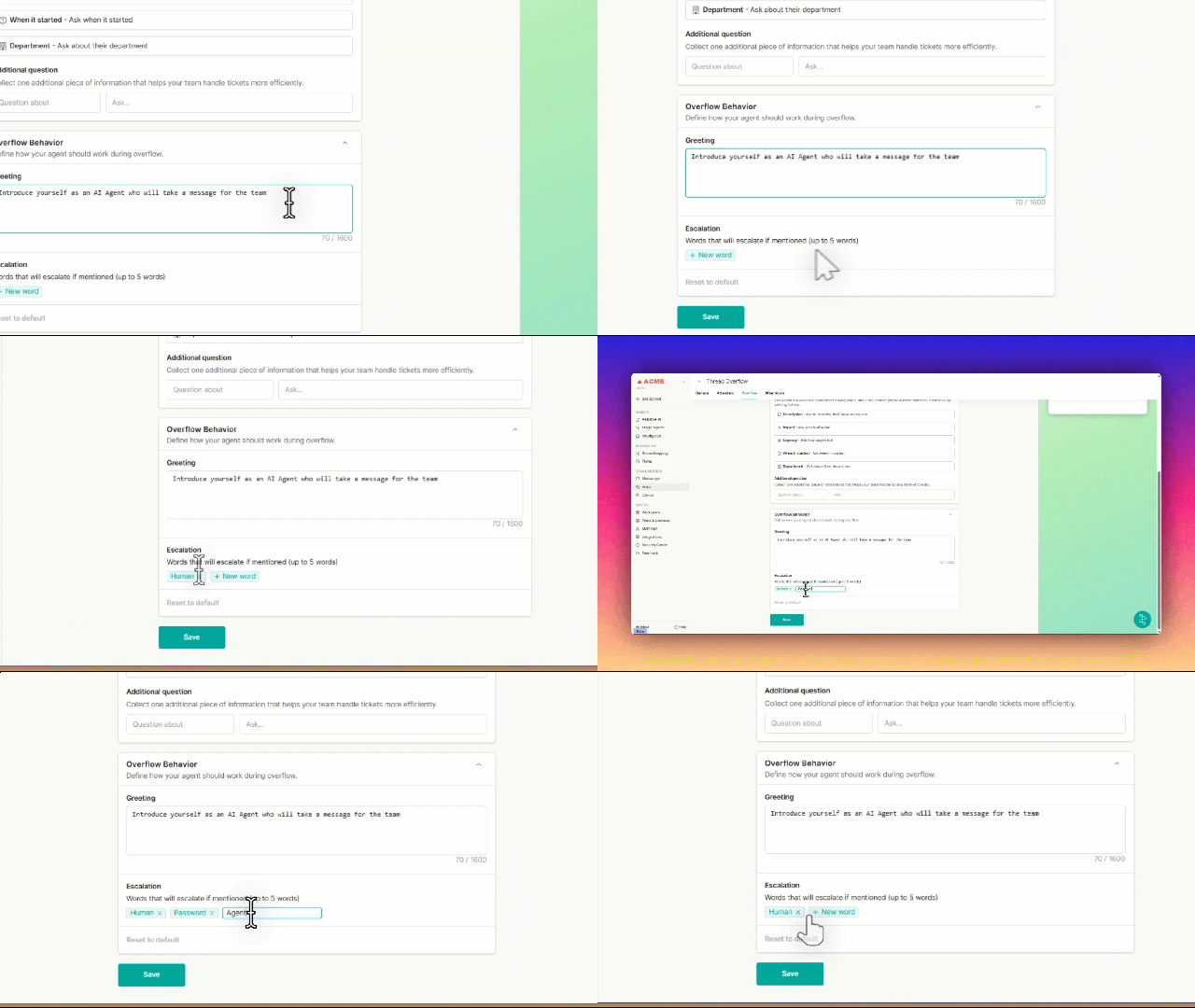
- Save: Click Save Configuration
Special Case: Overflow Titling
If a ticket is created with the source as "{voice_source}", format as:
**"Overflow | [short issue summary] | [Affected platform]"**
Examples: - Overflow | Unable to log into Outlook | Office 365
- Overflow | VPN not connecting | VPN
- Overflow | MFA code not working | Office 365
